
The best time-blocking app isn't automatically the one with the most automation. A calendar that constantly rearranges your day can look intelligent while making your priorities harder to understand. Effective time blocking depends on a loop you can maintain: choose realistic tasks, protect focused work, adjust missed blocks without abandoning the plan, and review what happened.
That's why the best apps for time blocking solve different types of friction. Some block distracting websites and phone apps. Others remove the need to replan after every meeting, prevent over-scheduling, unite fragmented tasks, or make a crowded day easier to see. The right choice depends on your work pattern, platform, tolerance for setup, and whether you need more control or less decision-making.
Time blocking has become more familiar without becoming universal. One survey found that 5% of respondents named time blocking as their primary system, while 23% used time-blocking techniques informally through calendars (Timewatch's time-management survey summary). That gap explains why many people understand the idea but still need a workflow that feels practical.
Below, I've grouped the tools by the friction they remove, moving from focus-first software through automated schedulers, deliberate manual planners, visual timelines, and lightweight task apps. If you're building a study routine, a research schedule, or a calmer workday, compare the behavior each tool encourages rather than choosing the most impressive feature list. A revision plan, such as this MasteryMind revision timetable, only works when the schedule helps you start and recover, not just when it looks complete.
Table of Contents
- 1. Kohru
- 2. Motion
- 3. Sunsama
- 4. Reclaim.ai
- 5. Akiflow
- 6. Notion Calendar
- 7. Morgen
- 8. Sorted³
- 9. TickTick
- 10. Structured
- Top 10 Time-Blocking Apps Comparison
- Choose the App You Will Actually Use
1. Kohru
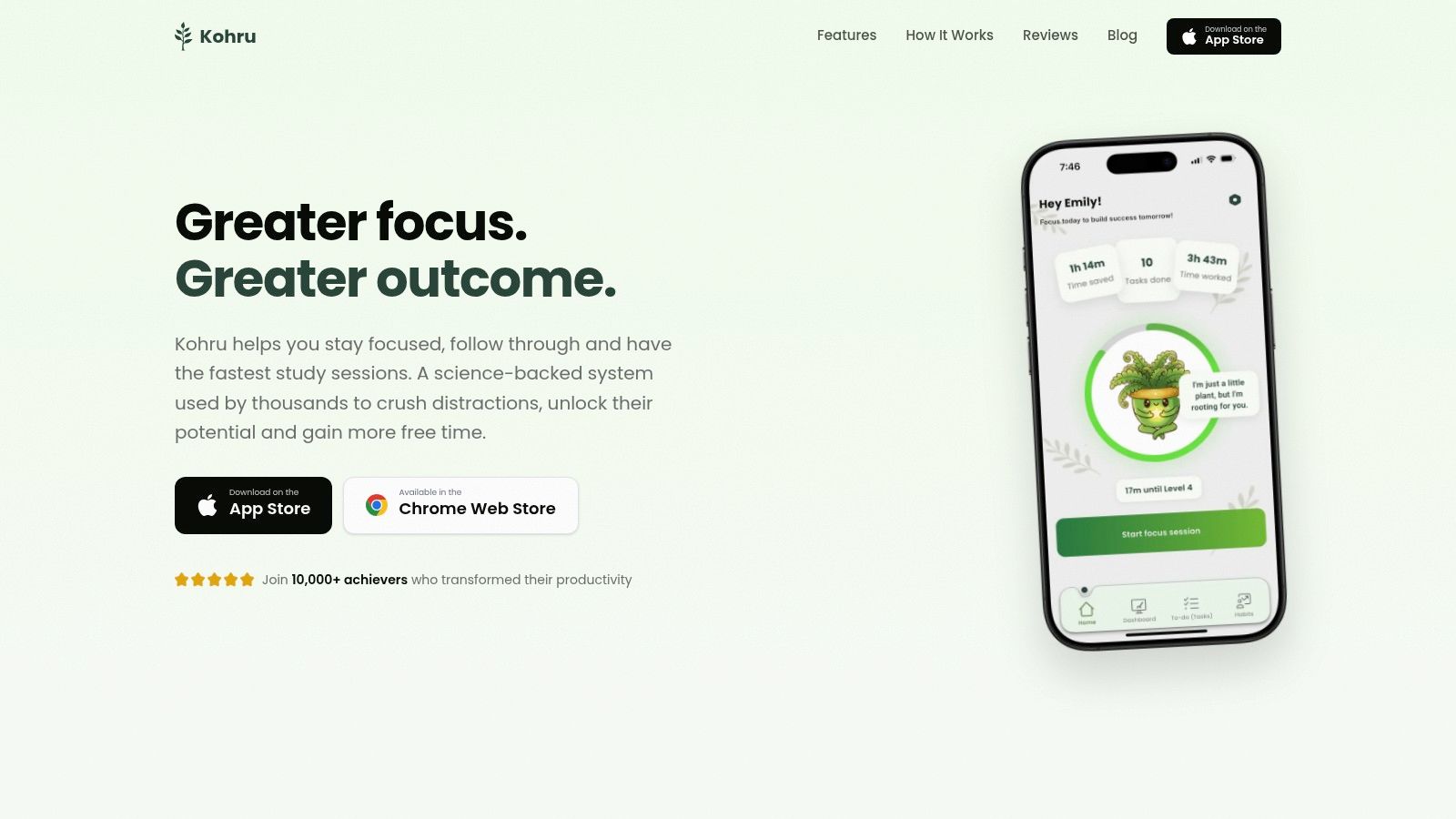
Kohru is the strongest choice when your main time-blocking problem isn't finding an empty calendar slot. It's staying inside the slot once you've created it. The app combines task planning with one-click Focus Sessions that block digital distractions across your phone and laptop through its Chrome extension, turning a planned block into an actual protected work period.
That distinction matters for students, researchers, remote workers, and anyone whose calendar is already full of nominal focus time. Kohru's Smart To-Do Lists separate Work and Personal tasks, then turn an individual task into a ready-to-start session. You spend less time deciding what a block means and more time beginning the work attached to it.
Best for distraction-heavy focus blocks
Kohru's custom durations, difficulty modes, structured breaks, and calming interface give the session a defined shape without making it feel punitive. Its habit system uses flexible weekly targets rather than relying only on perfect daily streaks, which is a better fit for irregular study weeks, changing workloads, or ADHD users whose routines don't stay identical.
The dashboard also shows focus time saved, tasks completed, and streaks built. Those signals can make progress visible after a day when the calendar itself feels messy. The app positions itself as science-backed and study-first, but its workflow also suits professionals who need uninterrupted writing, analysis, coding, or reading.
Practical rule: If your biggest failure happens after the block begins, choose distraction resistance before sophisticated scheduling.
Kohru is currently iOS-first, with Android listed as coming soon. The Chrome extension supports browser blocking, but Android users won't yet get the same full-device experience. Pricing and paid tiers aren't published clearly on the product site, so check the current App Store listing before committing. Visit Kohru to verify current platform availability and features.
2. Motion
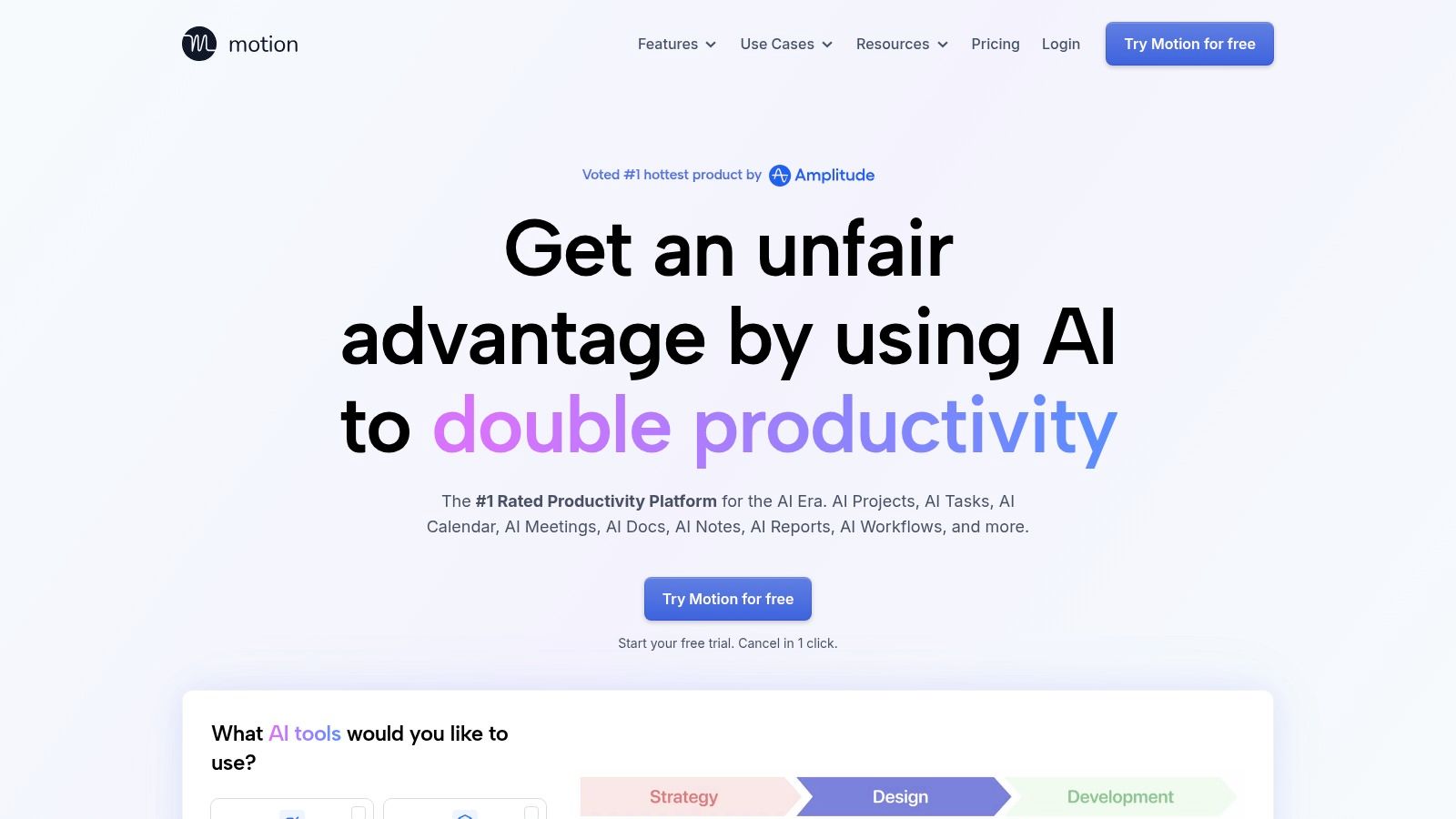
Motion removes the friction of deciding where every task belongs. Add tasks with deadlines, priorities, and expected durations, and its AI planner automatically places them alongside meetings and other calendar commitments. When a meeting moves or work takes longer than expected, Motion can rebuild the schedule instead of leaving you with a trail of obsolete blocks.
That makes it a strong fit for remote workers, managers, freelancers, and professionals handling several projects with competing deadlines. It's particularly useful when manual time blocking fails because you don't have the patience to maintain the calendar after the first disruption.
Automation versus ownership
Motion's AI Task Manager, AI Calendar, booking links, meeting assistant, and native apps for iOS, Android, and desktop create a broad operating system for scheduled work. The benefit is speed. You can hand over much of the placement and replanning work.
The trade-off is that the schedule reflects Motion's logic. If you care about choosing the exact order of tasks, protecting a preferred creative window, or leaving generous recovery space, automatic movement can feel heavy-handed. It may also take calibration before the schedule matches how long your work really takes.
Motion's annual plan generally offers better value than its monthly option, but pricing and plan details can change. Check the current Motion planner before subscribing.
Choose Motion if: you want a calendar that continuously replans around change.
Skip Motion if: manually deciding the sequence of your work is part of how you think clearly, or if you want a simple focus timer rather than an all-in-one planner.
3. Sunsama
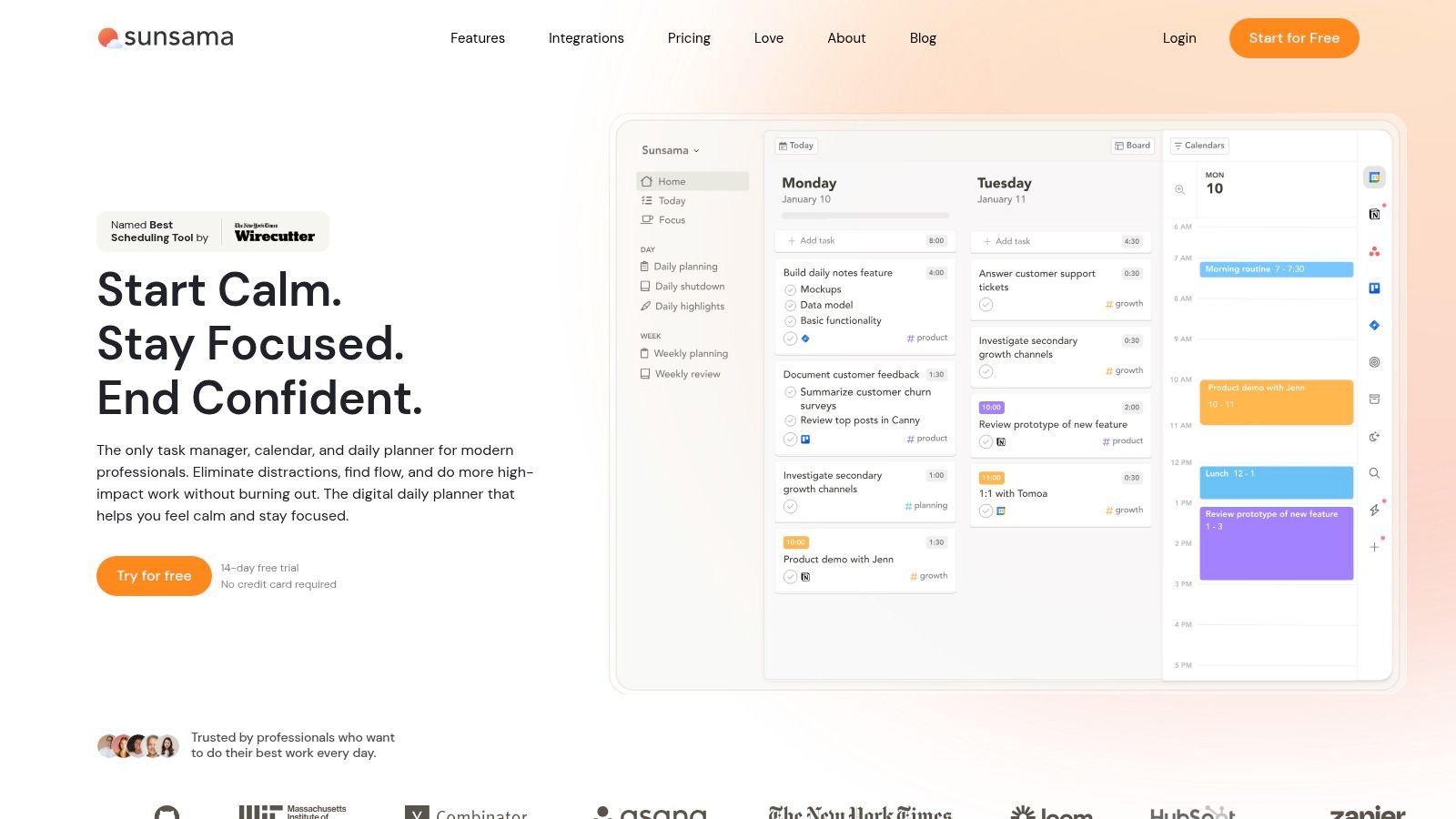
Sunsama is built around a daily planning ritual rather than a hands-off calendar. You decide what matters today, estimate the work, drag tasks into available time, and then execute against a plan you deliberately made. That slower process is its main advantage because it forces you to confront how much can realistically fit.
For researchers, consultants, students with several subjects, and professionals who need a clear shutdown point, Sunsama's separation between planning and execution is valuable. It helps distinguish a task that matters from a task that merely exists in an inbox.
A calmer answer to over-scheduling
Sunsama supports drag-and-drop timeboxing that writes to your calendar, and its Timeboxing 2.0 workflow can find suitable times or split work across days. You can also show a task as available rather than busy, which helps communicate a plan without making every block look like an immovable appointment.
Its integrations cover Google and Outlook calendars as well as tools such as Todoist, Asana, and Jira. That means you can bring fragmented project work into one daily planning surface instead of copying tasks manually.
The weakness is cost. Sunsama doesn't offer a permanent free tier, which may make it difficult for students or people who only need basic calendar blocks. It also demands a recurring planning habit. If you won't review the day and make choices, the interface can become another task list.
The best Sunsama plan is usually smaller than your first draft. Leave room for work that takes longer than expected.
Try the current workflow and subscription details on Sunsama before deciding whether its ritual justifies the cost.
4. Reclaim.ai
Reclaim.ai approaches time blocking defensively. Instead of asking you to fill every open space, it protects recurring focus time, tasks, and habits around the meetings already occupying your calendar. That makes it a good answer to meeting fragmentation, especially for remote teams whose working days are divided into short gaps.
Its Focus Time agent uses weekly goals and automatically defends the resulting blocks. Habit scheduling places routines flexibly, while Smart Meetings, buffers, and multi-calendar synchronization help prevent every commitment from landing back-to-back.
Protecting work without micromanaging it
Reclaim works best when you already live in Google or Microsoft calendar ecosystems. Teams can use templates and no-meeting days to make focus protection a shared operating norm rather than an individual preference. That's a meaningful distinction for organizations where one person's carefully protected block is easily defeated by everyone else's scheduling behavior.
The app gives you more guardrails than a blank calendar but less detailed manual control than a dedicated task planner. Its feature depth can also require setup. You'll need to define priorities, working patterns, and focus expectations before its automatic decisions become useful.
Apple-only users may need workarounds, and people who want to schedule every task by hand may find Reclaim too indirect. For teams with meeting pressure, however, its balance of automation and boundaries is practical.
Best audience: hybrid teams, managers, and remote workers who lose productive time to meeting creep.
Consider another tool if: your tasks don't live in Google or Outlook, or your day is mostly independent study with few calendar conflicts.
Review the current integrations and plans at Reclaim.ai.
5. Akiflow
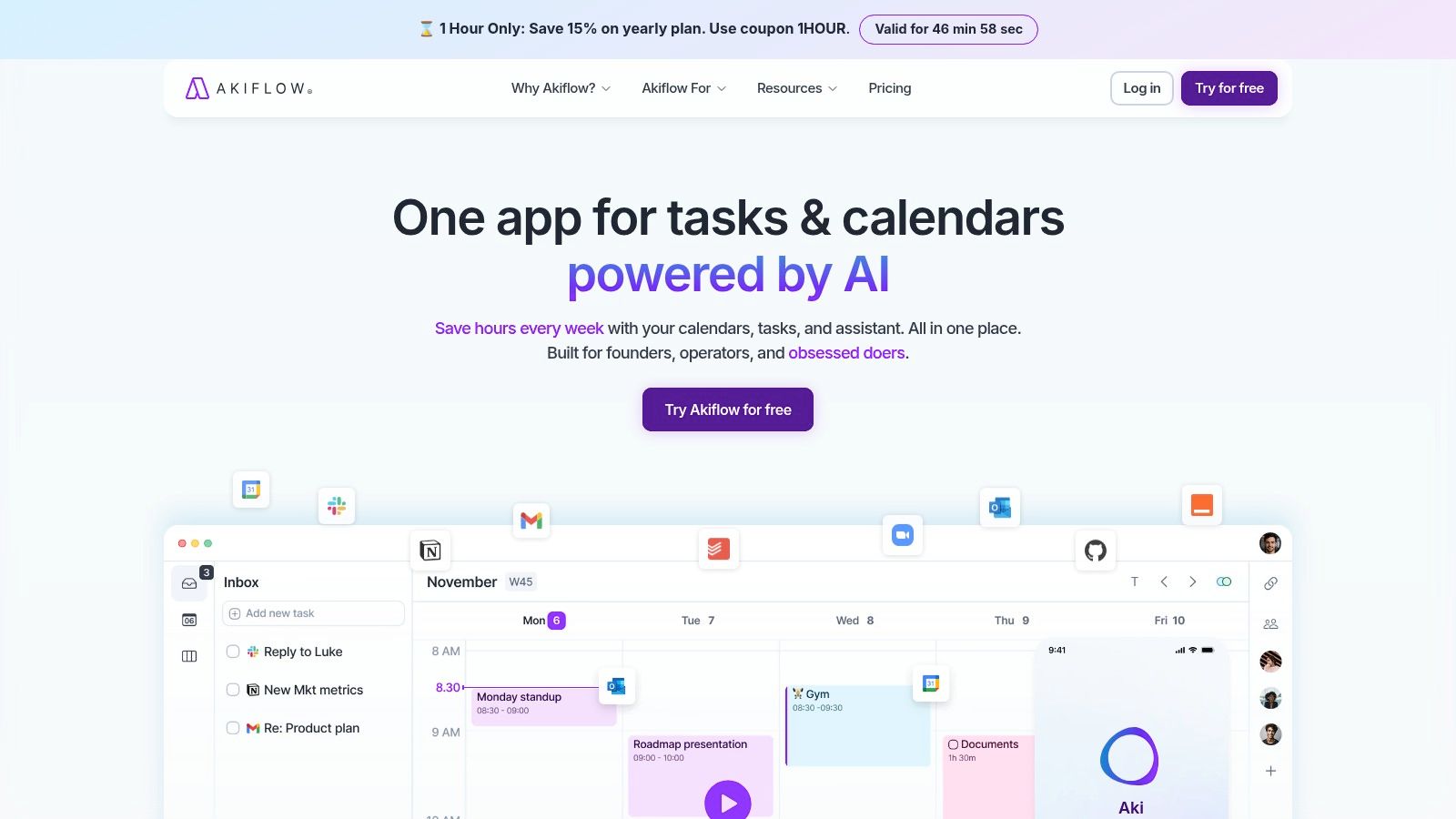
Akiflow is for people who want precise manual control without constantly jumping between task managers, email, Slack, and a calendar. Its command-bar workflow captures tasks quickly, consolidates them, and lets you place them into specific calendar slots. The result feels closer to a fast planning cockpit than a passive calendar.
This is a strong fit for power users, agency operators, researchers managing reference tasks, and freelancers whose work arrives through many channels. The core benefit isn't automatic scheduling. It's reducing the friction between capture and deliberate placement.
Precision for fragmented work
Akiflow's dedicated Time Blocking tools include configurable slots plus lock and pin controls. Keyboard shortcuts and rapid capture from email, Slack, and the browser help prevent small requests from disappearing into separate inboxes. Availability sharing and scheduling links add useful support for client-facing work.
The manual emphasis is important. You remain responsible for estimating tasks, deciding what belongs today, and moving blocks when circumstances change. That can be satisfying if your planning decisions are valuable, but it won't help much if you're trying to eliminate planning decisions altogether.
Akiflow has no free plan, and its pricing is premium compared with basic task apps. Its power can also become overhead for someone who only needs a few daily blocks. The tool is best when your scattered inputs are the problem and you're willing to build a structured command workflow around them.
A useful test: capture a week's incoming work before you customize the system. If most of your tasks arrive in one place, Akiflow's breadth may be unnecessary.
See the current platform and plan information on Akiflow.
6. Notion Calendar
Notion Calendar is the most sensible option for people whose work already lives in Notion. It gives you a clean calendar for blocking events, dragging commitments into place, sharing availability, and linking scheduled work directly to Notion pages. You don't need to migrate an established workspace into a new productivity system.
Students can use it to connect reading plans, assignments, and project pages to calendar events. Researchers can link writing sessions to notes or literature pages. Teams that already use Notion databases can keep the planning context close to the block rather than storing a title with no supporting information.
Simple blocking inside an existing workspace
The app supports event blocking across calendars, scheduling links, availability sharing, and deep links to Notion pages. It works with Google Calendar and iCloud, making it more approachable than tools that require a new calendar ecosystem.
Its simplicity is also the limitation. Notion Calendar doesn't offer the same automatic replanning depth as Motion or the focus-defense behavior of Reclaim. It won't solve a distraction problem by itself, and it may feel too light if you need task durations, recurring routines, or an adaptive schedule.
The best use case is straightforward: your notes and tasks are already in Notion, and you want a fast calendar layer that makes time visible. If you're not a Notion user, the integration advantage disappears and a dedicated task planner may be easier to maintain.
Best for: Notion users, students, and knowledge workers who want linked context without a heavy scheduling engine.
Skip it if: you need automatic rescheduling or cross-platform task management beyond its current calendar focus.
Check the current capabilities at Notion Calendar.
7. Morgen
Morgen occupies the middle ground between manual planning and AI assistance. You can drag tasks into your calendar yourself, use booking pages and commute buffers, and keep control over what gets scheduled. Its optional AI Planner, known as Frames, can suggest where categories of work should fit without taking over the entire day.
That balance suits professionals who want help with repetitive placement but still want to approve the plan. It's also useful for people who care about privacy and need a cross-platform calendar and task hub rather than an Apple-only timeline.
Selective automation
Morgen's drag-and-drop blocks write private events to your calendars, while booking pages and scheduling links support external meetings. Frames can represent patterns such as writing time, administrative work, or short tasks, giving the planner a reusable structure.
The setup is more involved than a simple calendar. AI assistance supports selected providers and may require configuration before it behaves as expected. Mobile features and certain automations are also still evolving, so check whether your primary device supports the workflow you want.
Morgen is a good choice for freelancers, consultants, and cross-platform users who want a human-first system with optional automation. It's less attractive if your goal is one-click focus or if you need an entirely automatic schedule.
A useful way to judge it is to keep the AI off initially. Build a week manually, then add Frames only where repeated placement feels tedious. That approach shows whether the automation removes genuine friction or just adds another layer.
Explore the current integrations and platform coverage at Morgen.
8. Sorted³
Sorted³ makes the day feel like one continuous timeline. Tasks, events, and notes sit together, and you can place them back-to-back with minimal visual clutter. Instead of treating time blocks as separate calendar appointments, it presents the day as a sequence you can adjust directly.
That makes it particularly effective for Apple users who want hands-on scheduling without an AI system constantly rewriting the plan. A student can arrange lectures, study sessions, meals, and errands in one view. A freelancer can see whether client work has been squeezed between small commitments.
Less visual overload, fewer team features
Sorted³ includes quick auto-scheduling tools, but the main experience is manual. You choose the sequence, adjust durations, and see how blocks fit together. Its iOS and macOS apps are the central strength, and a one-time Pro option gives buyers an alternative to subscription-only software.
The Apple focus is also the major constraint. Android and Windows users won't get the same experience, and the app has fewer collaboration features than enterprise-oriented planners. Its automation is lighter than Motion or Reclaim, so it won't protect focus around a complex meeting schedule.
Sorted³ works when the problem is visual overload rather than task capture or replanning. If a weekly calendar makes your day look more complicated than it feels, the unified timeline can lower the cognitive load. If you need shared project management, integrations across many services, or adaptive scheduling, choose a more expansive tool.
Find the current device and Pro details on Sorted³.
9. TickTick
TickTick is the pragmatic choice for people who want time blocking without rebuilding their entire task system. It combines a full to-do app with Day, Week, and Month calendar views, task durations, drag-to-schedule behavior, and a built-in Focus or Pomodoro timer with white noise.
That makes it useful for students, researchers, and professionals who already think in tasks but want to reserve real time for completing them. You can keep the task list, add a duration, place it on the calendar, and start a focus timer without moving into a dedicated AI scheduler.
The low-lift option
TickTick's main advantage is familiarity and breadth. It syncs across platforms, so your tasks and blocks remain available when you move between devices. The calendar view makes planning more concrete than a list, while the focus timer supports execution after the block begins.
The trade-off is manual maintenance. TickTick won't provide the same automatic replanning as Motion, and it won't defend focus blocks from meetings like Reclaim. Some advanced calendar views and duration features require Premium, so verify the current plan before assuming every time-blocking feature is included.
Use TickTick when your current to-do workflow is mostly sound and your missing step is assigning time. Don't choose it expecting the app to diagnose an unrealistic plan or rearrange a disrupted day for you. Its strength is adding structure with relatively little migration effort.
Good fit: people who want tasks, calendars, and a focus timer in one familiar app.
Poor fit: users who need automatic scheduling or strong device-level distraction blocking.
See the current feature and platform details at TickTick.
10. Structured
Structured turns time blocking into a visual day timeline. Tasks become blocks that you can drag into position, making the relationship between duration and available time easier to understand. The interface is deliberately approachable, which helps students and people with ADHD who find traditional calendars too dense or abstract.
The app supports a timeline-first planning workflow, with optional Pro features for importing Apple calendars and Reminders. Replan helps move missed blocks, and optional AI day planning can provide assistance without making automatic scheduling the entire experience.
A forgiving visual day plan
Structured runs on iPhone, iPad, Mac, and Apple Watch. That device coverage works well for users who want to see the next block quickly and adjust it without opening a complex project-management interface. Recurring tasks and calendar synchronization require Pro, so the free experience may not include every part of a serious planning system.
The main strength is recovery. When a task takes longer than expected, you can replan the day instead of treating the original schedule as a failure. That matters for irregular routines, interruptions, and people whose available focus changes from day to day.
The Apple ecosystem is a firm limitation. Android users and people working across Windows devices should compare platform coverage carefully. Structured also isn't designed for advanced team scheduling or deep task integrations.
For an irregular day, a rescheduled block is useful data, not evidence that the whole system failed.
Choose Structured when reducing cognitive load matters more than automation depth. It's especially appealing for students, visual planners, and ADHD users who need to see the day clearly before they can act.
Check current device support and Pro features at Structured.
Top 10 Time-Blocking Apps Comparison
| Product | Core features | UX & platforms | Value proposition | Target audience | Unique selling points | Pricing & notes |
|---|---|---|---|---|---|---|
| Kohru (Recommended) | One‑click Focus Sessions, Smart To‑Do Lists, Habit Tracking, focus dashboard, Chrome extension | Calming UI; iOS + Chrome extension (Android coming soon) | Science‑backed focus tool to enter deep work fast and finish sooner | Students, grads, young professionals focused on study efficiency | True cross‑device distraction blocking; task→session workflow; flexible weekly habits; measurable claims | Pricing not listed on site, check App Store; 10k+ users, many 5★ reviews |
| Motion | AI planner that auto time‑blocks and re‑optimizes schedule; meeting assistant | Native iOS/Android/desktop; automated flow | Automates schedule placement and continuous replanning | People who want set‑and‑adjust automated scheduling | Continuous auto‑rescheduling; integrated booking/meeting tools | Best value on annual plan; monthly higher per seat |
| Sunsama | Drag‑and‑drop timeboxing, calendar write‑back, broad integrations | Calm daily ritual; web/apps with many integrations | Sustainable daily planning that prevents over‑planning | Users who want a thoughtful planning ritual | Clear planning vs execution separation; Timeboxing 2.0 | No permanent free tier; subscription required |
| Reclaim.ai | AI calendar assistant: Focus Time, habits, auto‑defense, multi‑calendar sync | Web + calendar integrations (Google/Outlook); team features | Protects focus by auto‑blocking and adapting around meetings | Calendar‑centric users and teams protecting collective focus | Auto‑defend focus blocks; team templates and no‑meeting days | Works best with Google/Outlook; setup can be involved |
| Akiflow | Keyboard‑first command bar, task capture, manual time‑blocking on calendar | Fast, shortcut‑driven desktop/apps; strong integrations | High‑speed manual planning and precise control | Power users who prefer deliberate planning and shortcuts | Command‑bar speed; precise lock/pin time blocks; deep captures | Premium pricing; no free plan |
| Notion Calendar | Event blocking, scheduling links, deep links to Notion pages | Integrated in Notion workspace; web + apps | Simple calendar integrated with notes and tasks | Notion users wanting lightweight time blocking | Deep linking to pages; free and tightly integrated | Free tier available; simpler than full AI schedulers |
| Morgen | Unified calendar & tasks, drag‑and‑drop, AI Frames planner | Cross‑platform; privacy‑focused design | Human‑first planning with optional AI assistance | Users wanting manual control plus selective automation | Strong privacy stance; balanced AI assists | Mobile features evolving; some setup needed |
| Sorted³ | Unified timeline, quick auto‑schedule, iOS/macOS apps | Clean, minimal Apple UI; timeline‑first | Hyper‑scheduling with fast, manual block‑by‑block planning | Apple ecosystem users wanting hands‑on scheduling | Extremely clean manual UI; one‑time Pro unlock option | One‑time purchase for Pro; Apple‑centric |
| TickTick | To‑do app + calendar views, task durations, Pomodoro timer | Cross‑platform; fast sync | Low‑lift way to add time blocking to a to‑do workflow | Users who want tasks + light time blocking in one app | Built‑in Focus/Pomodoro and white noise | Premium unlocks advanced calendar/duration features |
| Structured | Visual timeline day planner, drag‑and‑drop blocks, replan tools | iPhone/iPad/Mac/Watch; very fast, accessible | Simple, visual day planning with low friction | Students and users with ADHD seeking clarity | Timeline‑first UX; accessibility‑aware; very quick planning | Pro required for recurring tasks/calendar sync; Apple‑focused |
Choose the App You Will Actually Use
The right time-blocking app depends on the failure you're trying to fix. If you choose software for a problem you don't have, its extra features become maintenance work. A feature-rich scheduler won't help much if distraction pulls you away from every block, and a beautiful timeline won't solve a calendar that keeps changing around meetings.
Choose Kohru when distraction blocking, focus sessions, study support, and flexible habit follow-through matter most. Its one-click Focus Sessions connect planning to action, while Smart To-Do Lists give each task a clear starting point. That makes it particularly relevant for students, researchers, remote workers, and people who need help protecting attention across phone and browser.
Choose an AI scheduler such as Motion when automatic replanning is the central need. Motion suits people managing deadlines, meetings, and projects that regularly disrupt the original plan. Reclaim.ai is the better direction when your priority is defending weekly focus time, habits, and buffers around an existing Google or Microsoft calendar.
Choose a manual planner when control and calendar precision matter more than convenience. Sunsama gives you a deliberate daily ritual, Akiflow consolidates fragmented inputs for power users, and Morgen lets you add selective AI support without surrendering the whole schedule. These tools work best when planning is part of how you understand the work, not merely an administrative burden.
Choose a visual timeline when reducing cognitive load is the priority. Structured and Sorted³ make the day tangible, but their platform choices matter. Structured is a strong Apple-focused option for approachable daily planning, while Sorted³ suits users who want a clean, hands-on sequence with a one-time Pro option.
Choose a lightweight task app such as TickTick when you want to add time blocking without rebuilding your system. It gives you calendar views, task durations, and focus tools without forcing a move into an automated scheduling platform. Notion Calendar fills a similar role for people whose tasks and notes already live in Notion.
The evidence behind time blocking is stronger for specifying when and where an action will happen than for proving that one app's automation layer is superior. A landmark meta-analysis combined 94 independent tests and reported an effect size of d=0.65 for implementation intentions, while later summaries describe goal-attainment improvements from about 35% to 91% when people specify the conditions for acting (Aftertone's evidence review). That supports the basic behavior, not a promise that every automated schedule will fit your life.
Before committing, verify current pricing, platform availability, integrations, and feature limits. Product plans change, mobile support evolves, and a feature that exists on desktop may not work the same way on your phone. Run a small test instead of designing an idealized week: schedule a few realistic blocks, protect one focus session, allow space for interruptions, and review what you completed. Judge the app by whether you can recover and continue, not by whether the first calendar view looks perfect.
Kohru combines one-click Focus Sessions, phone and browser distraction blocking, task-based planning, flexible habit targets, custom durations, and structured breaks for time blocks you can follow. If distraction or inconsistent follow-through is your main friction, visit Kohru and see whether its focus-first workflow fits your study or workday.
