Summary of the Article
There is no official screen time guideline for adults. Pediatric limits exist, but grownups are on their own, and the research suggests that how and why you use screens matters more than a single magic number. Most adults average around 6 hours 40 minutes to 7 hours of screen use per day, and experts suggest keeping recreational use closer to 2 to 4 hours.
- No official guideline: unlike children, adults have no government or medical screen time limit.
- Real averages: about 6h38m to 6h54m per day of online time globally for ages 16 to 64, around 7 hours in the US, depending on the source.
- Practical benchmarks: around 8 hours total including work, or 2 to 4 hours of recreational use, per expert suggestions.
- Better question than "how many hours": what is your screen time displacing, and how does it make you feel?
If your use feels out of control, the fix is usually a mix of honest tracking, a self-set target, and tools that add friction at the right moments.
The Short Answer: There Is No Official Adult Limit
Children have guidelines. The American Academy of Pediatrics sets recommendations for young kids, and governments publish youth screen time advice. Adults do not get the same treatment. As pediatrician Dimitri Christakis told Health.com, the assumption is that adults can use screens responsibly on their own, and he considers that assumption shaky.
Scripps Health puts it plainly too: there is no set screen time limit for adults, but using screens seven or more hours a day can be unhealthy depending on how and why you use them (Scripps Health).
That absence of a rule is not permission to ignore the question. It just means the judgment call is yours, and the rest of this article gives you a way to make it.
What Do Adults Actually Average?
Here are the headline numbers, with an important note: different studies measure different things, so do not expect them to agree.
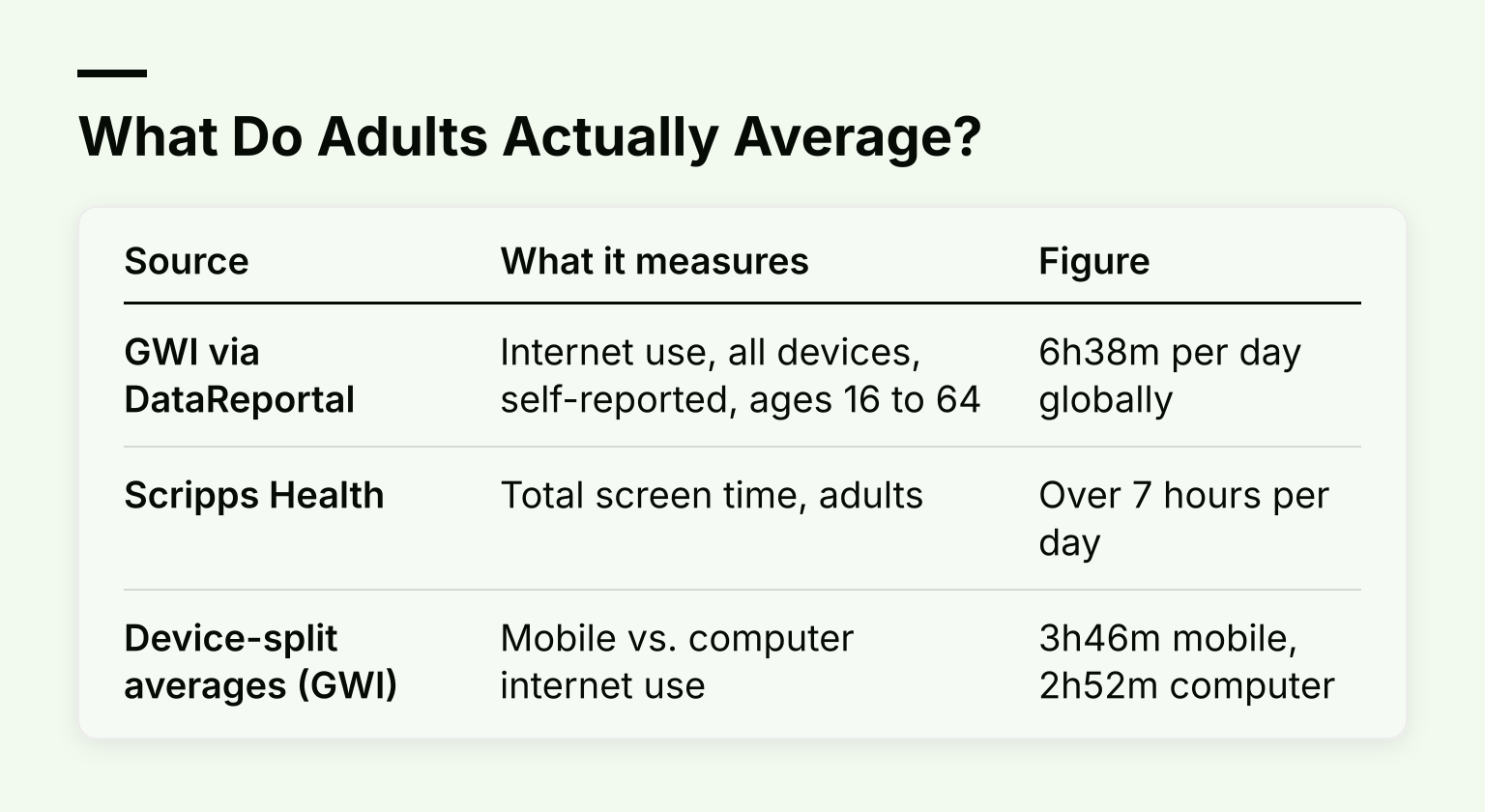
| Source |
What it measures |
Figure |
| GWI via DataReportal |
Internet use, all devices, self-reported, ages 16 to 64 |
6h38m per day globally |
| Scripps Health |
Total screen time, adults |
Over 7 hours per day |
| Device-split averages (GWI) |
Mobile vs. computer internet use |
~3h46m mobile, ~2h52m computer |
Notice what the DataReportal figure does and does not include. It covers internet use on phones and computers, self-reported by survey. It leaves out broadcast TV, offline gaming, and much passive video watching, so true total screen exposure is higher. Survey-based numbers also rely on people estimating their own behavior, which humans are famously bad at. Treat these figures as rough context, not a verdict on your own day.
Why Averages Mislead You
A raw hour count lumps very different activities together. Three things break the average:
- Work versus recreation. Eight hours in a spreadsheet is not the same as eight hours of short-form video. Most experts frame limits around non-work use for this reason.
- Intentional versus mindless use. Watching a documentary you chose, studying from a course, or video calling family differs from an hour of autoplay you do not remember starting. Researchers at the Digital Wellness Lab distinguish regulated, intentional use from mindless scrolling (Health.com).
- What the time displaces. Screen time hurts most when it replaces sleep, exercise, or in-person contact. If your screen use fits around those things, the number itself matters less.
What Research Links Heavy Use To
The evidence here is mostly about associations, so read it as directional rather than proof of cause and effect:
- Sedentary health. Long stretches of sitting while watching screens are tied to higher risks of high blood pressure, insulin resistance, and obesity.
- Sleep. Screens late at night, especially in the bedroom, make it harder to fall asleep.
- Physical strain. Eye strain, headaches, and neck, shoulder, and back pain show up with long, unbroken sessions.
- Mental health. A 2017 study linked higher TV and computer time with moderate or severe depressive symptoms in adults, and a 2026 summary in Health Affairs points to research on short-form video, attention, and wellbeing.
None of this means every screen hour is harmful. It means heavy recreational use, particularly what it crowds out, is where the risk concentrates.
Practical Benchmarks Experts Suggest
With no official limit, here are the working numbers clinicians and researchers use:
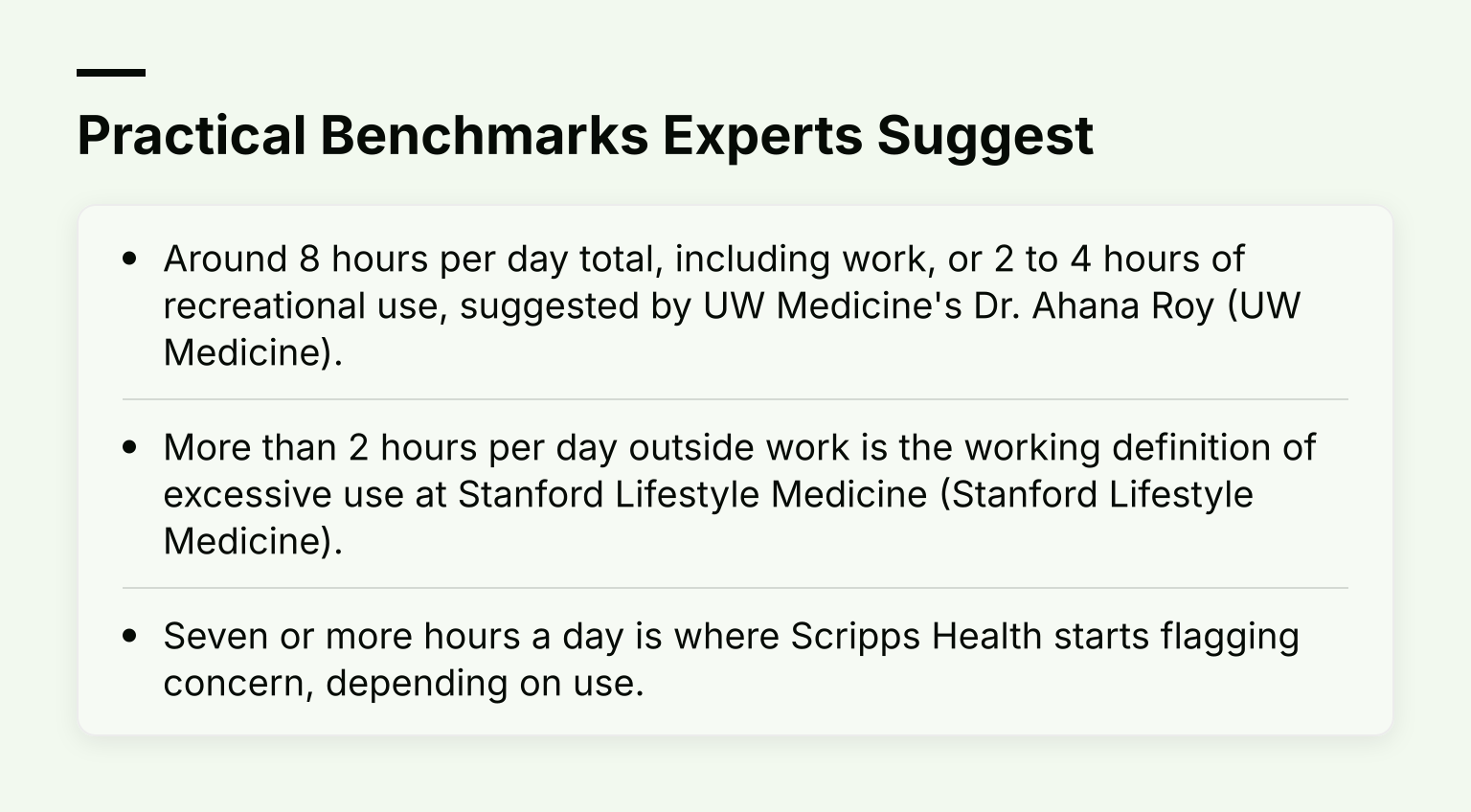
- Around 8 hours per day total, including work, or 2 to 4 hours of recreational use, suggested by UW Medicine's Dr. Ahana Roy (UW Medicine).
- More than 2 hours per day outside work is the working definition of excessive use at Stanford Lifestyle Medicine (Stanford Lifestyle Medicine).
- Seven or more hours a day is where Scripps Health starts flagging concern, depending on use.
A reasonable starting target for many working adults and students: keep recreational screen time near 2 to 4 hours, protect sleep with a device curfew, and judge the rest by how you feel rather than the clock.
A Simple Self-Assessment
Before setting a target, spend three days auditing your actual use. Your phone's built-in screen time dashboard and your laptop's activity reports give you the raw data.
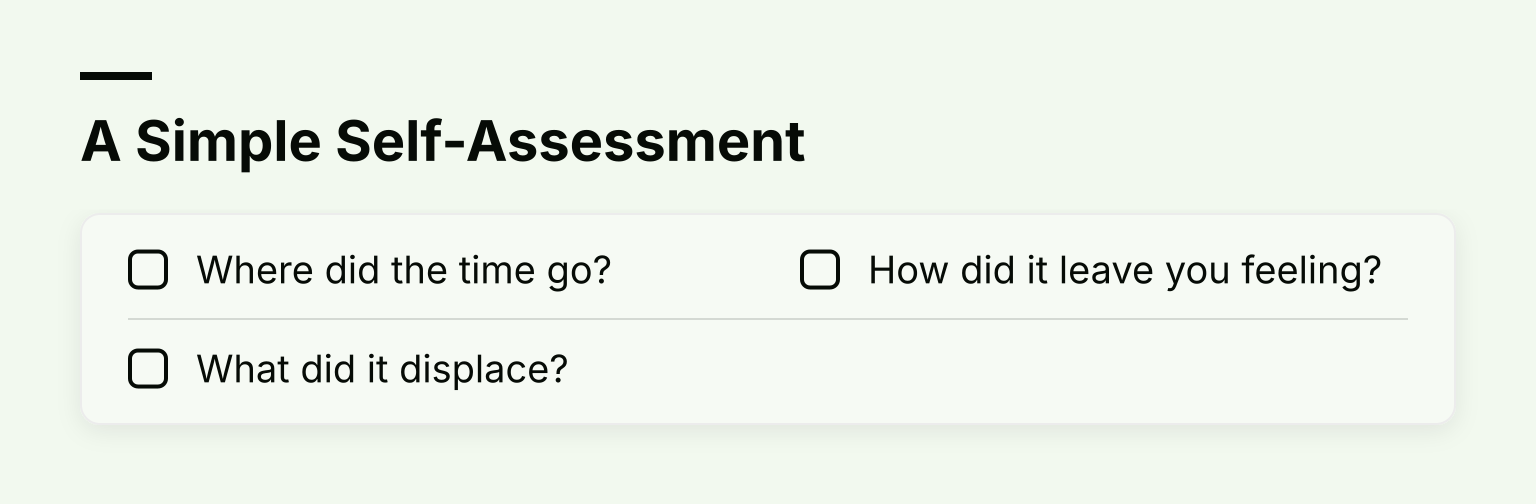
Then ask three questions:
- Where did the time go? Sort it into work, social media, video, gaming, and messaging. Most people find one or two categories dominate.
- What did it displace? Check whether sleep, exercise, studying, or real conversations shrank on heavy days.
- How did it leave you feeling? Energized and informed, or drained and behind on what mattered?
If a category is large, mindless, and crowding something you value, that is your candidate for cutting, regardless of the total.
Setting a Target and Cutting Back Gradually
Once you know your baseline, set a number you can live with, not one that sounds virtuous. If you currently spend 5 hours a day on your phone outside work, dropping to 3 hours beats announcing a 90-minute cap you will abandon in a week.
Tactics that hold up in practice:
- Set app limits or screen time budgets. On iPhone, Screen Time lets you add per-app or per-category daily limits; Android's Digital Wellbeing does the same. Start with your biggest category from the audit.
- Set a device curfew. Screens off 30 to 60 minutes before bed, and keep them out of the bedroom if you can.
- Clean up notifications. Turn off anything that is not a person trying to reach you. Notifications exist to pull you back in.
- Create phone-free zones. The dinner table and the bed are the two highest-value zones.
- Replace, do not just remove. Scripps Health recommends scheduling 1 to 2 hours of screen-free activity per day, because an empty slot gets refilled by the easiest habit, which is usually a screen.
For a full walkthrough of these setups, see our guide on how to actually reduce your screen time.
Where Time Out Apps Fit
Willpower alone rarely survives a 10-hour day of study or work. This is where time out apps come in: tools that either add friction before you can open a distracting app or lock it outright for a set period.
- Friction-based tools make you wait, confirm, or solve a small challenge before opening Instagram or YouTube. They work well when your use is habitual but not compulsive.
- Hard locks and app blockers remove the choice entirely for a session. They fit exams, deep work blocks, and evenings when scrolling has been winning.
We compare specific options in our roundup of the best screen time control apps, and if tracking is not enough and you need enforcement, our guide to screen time locks covers the stricter end of that spectrum.
This is also where a focus tool like Kohru earns its place. Kohru runs timed, distraction-free focus sessions, blocks distracting apps and websites across your phone, laptop, and Chrome browser, and tracks your habits, focus time, and completed tasks, so the target you set above gets enforced rather than just wished for. If you want that structure, download Kohru on the App Store or add the Chrome extension.
Common Questions
Does work screen time count? It counts toward eye strain and sitting time, but most expert guidance about cutting back refers to non-work use. Reducing work screens is often not realistic, so aim your effort at recreational use.
Is all screen time bad? No. Intentional use, like a study course, a workout video, or a call with family, has very different effects from passive scrolling. The problem is unchosen, habitual use that displaces sleep, movement, and people.
Does listening to music count as screen time? Usually not in any meaningful sense. Audio streaming barely involves looking at the screen, and our explainer on whether music counts as screen time covers the details.
How long until habits change? Expect a few weeks, not a few days. Small weekly goals, like cutting 30 minutes from your biggest category, build more lasting change than dramatic restrictions. Our guide to digital detox benefits covers what to expect as you dial back.
Your Next Step
Check your phone's screen time report tonight, sort one week of use into work and non-work, and pick a recreational target 30 to 60 minutes below your current average. Then decide which single tactic, a curfew, app limits, or a focus session blocker, will carry most of the weight, and set it up before the week starts.
