Most college students in a 2025 mixed-methods study of 286 students used smartphones for 4–6 hours a day. During study or class, notifications were the leading trigger for phone checks, with 198 responses, ahead of boredom at 135 and habitual use at 107.
The alert lands before you decide to leave the page. Willpower shows up late. Learning how to be more focused starts by naming that trigger, then cutting off the second screen that keeps feeding it.
Kohru is the practical answer. It is an app built for students that blocks distractions on your phone and laptop at the same time, so one Focus Session covers both screens while you read, write, or finish an assignment.
Table of Contents
- Why Your Focus Keeps Slipping Away
- Designing a Study Space That Protects Attention
- Structuring Focus Sessions Around Your Energy
- Building Habit Cues That Start Work Automatically
- Blocking Apps Across Your Phone and Laptop
- Troubleshooting Common Focus Barriers
- Start Your First Focus Session Today
Why Your Focus Keeps Slipping Away
The reading is open. Two minutes later the phone is in your hand, and you don't remember choosing it. That sequence matches the study above. A lot of switches start with an alert, not a plan.
Willpower advice treats every slip as the same failure. It isn't. The fix depends on which trigger fired.
Three triggers, three different fixes
Notifications: Something outside you starts the switch. A promise to ignore the buzz loses to the buzz. Silence nonessential alerts on both devices before the first paragraph.
Boredom: The task feels flat, so you hunt for relief. A harder block list won't make a vague assignment interesting. Shrink the first step until it has a visible end, such as four lines of summary.
Habit: Your hand moves because this chair, this tab, or this hour always went with scrolling. Change the cue. Moving the phone after you have already sat down is already late.
Practical rule: If you can't name the trigger in one word, don't add another hack yet.
What to change in the next hour
Pick the trigger from the last time you lost the page. If it was a notification, kill alerts first. If it was boredom, write the opening action on paper before you open anything else. If it was habit, put the phone in a bag before you sit.
Don't stack all three fixes on night one. Students who rebuild the whole system before a midterm usually drop it after one bad evening. One trigger, one change, one session.
A speech about trying harder fails here because the interruption often begins outside the decision. You can still choose the recovery. You can't unsend a notification that already fired. Kohru matters at this point because the phone and the laptop stop being two separate fights.
Designing a Study Space That Protects Attention
Interruptions don't only steal minutes. They thin out what you keep.
A synthesis of 27 experiments with 2,245 participants, average age about 21, found that mobile distractions such as texting, online chat, email, and social media had a statistically significant, medium-sized negative effect on recall of lectures and reading. The work can look finished while the memory of it is already weaker.
One seat should mean one job
A library carrel does a single thing. You sit, you read, you leave. A bedroom desk shared with sleep, shows, and snacks asks you to sort five contexts before the first sentence. That sorting is the cost people blame on laziness.
The carrel wins for dense reading because drift has fewer exits. The bedroom desk can still work for a familiar problem set if the phone is gone and the browser is already on the assignment. The room doesn't create attention. It removes decisions you would otherwise remake every few minutes.
A setup you can finish in five minutes
- Phone out of reach: Bag, shelf, or another room. Face down on the desk still counts as in reach.
- Alerts cut back: Leave only the calls you have to take. Everything else waits.
- Tabs closed: One document and one source. The other tabs are a menu of exits.
- Same seat for the same work: Don't review slides from the chair where you watch shows.
A bedroom works when the desk is study-only for that block and the bed stays out of your sightline.
Do this before the timer, not after the first urge. Once the phone is in your hand, you are no longer setting up. You are already negotiating.
Structuring Focus Sessions Around Your Energy
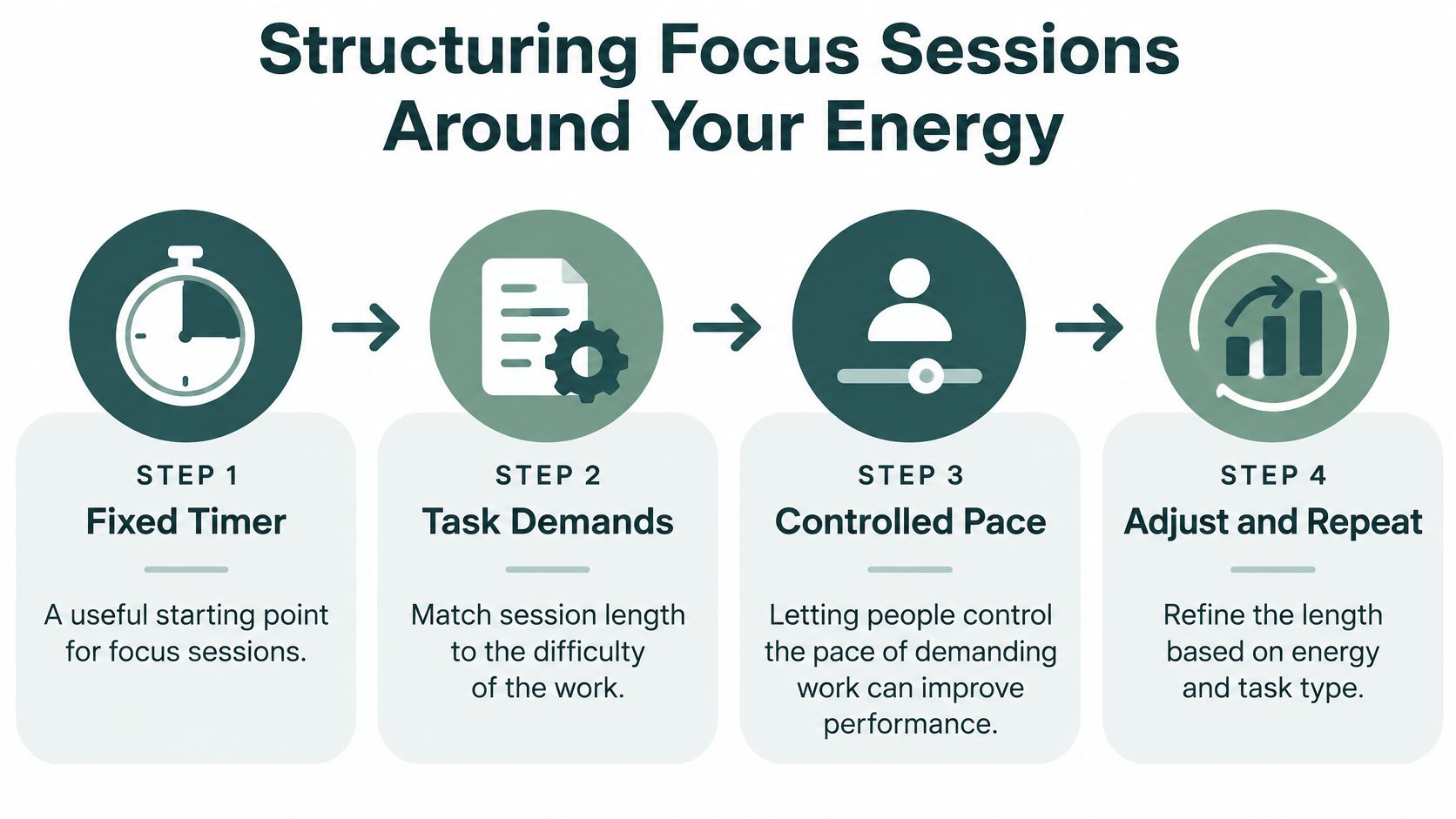
A fixed timer is a decent first scaffold. It is not a law of attention.
The classic Pomodoro cycle, 25 minutes on and a short break, helps when you don't know your own pace yet. It fails when a dense chapter needs 15 honest minutes, or when a problem set is moving and a forced stop snaps the thread. More uninterrupted time is not automatically better. Past a point, fatigue writes the errors for you.
A 2025 study on pacing and recovery found that letting people control the pace of demanding work improved performance under some conditions. It did not erase the drop in vigilance that fatigue causes, and it helped less when attention was divided. Microbreaks shorter than 10 minutes reduced subjective fatigue and helped preserve performance, although the effect varied by break type.
Match the block to the task
| Work | Session lean | Break that fits |
|---|---|---|
| Dense reading or research | Shorter blocks | Stand up, look away from the screen |
| Familiar writing | Longer if errors stay low | Stretch, water, no inbox |
| Problem solving | Stop when mistakes rise | A short walk, phone left behind |
| Meetings or class | Follow the external clock | Notes first, messages after |
Self-paced Focus Sessions with a custom duration fit once you can feel the difference between "this is hard" and "I am shot." Difficulty modes help here. A low-stakes review can use a lighter setting. A exam chapter should not.
Breaks that don't restart the trigger
Scrolling is not a microbreak. It is the same loop you just blocked, in a smaller costume. Stand, stretch, step into the hall, or stare out a window. Then come back and check two signals, not your mood. Did errors climb before the timer ended? Did the last ten minutes feel like pushing mud?
Shorten the next block if both answers are yes. Lengthen it only if the work stayed clean and you stopped while you still had something left. Across a week, that log beats any preset cycle. Fatigue doesn't disappear because you scheduled around it. You just stop pretending a single length fits reading, writing, and a seminar.
Building Habit Cues That Start Work Automatically
Starting is usually harder than staying. The decision to begin is where most evenings die.
A cue removes that decision. Same desk. Same short playlist. Same note opened to a blank heading. A two-minute warm-up, such as copying the assignment prompt at the top of the page, tells your brain the session has started. The cue should be boring and repeatable. Novelty is a terrible habit.
Tie the cue to something you already do
After dinner, you already sit down. That sit-down can open the note. You don't need a new life. You need the existing moment to point at the work.
Test two or three cues over the next few study days, not ten. A cue is working if you start without a speech to yourself. It is failing if you still bargain for ten minutes of "just checking." Drop the failed cue. Don't negotiate with it.
Daily streaks break this. One lab, one shift, one sick day, and the chain reads as failure. People then skip the next day because the record already looks ruined. Flexible weekly targets survive a messy Tuesday. You still owe the sessions. You don't owe them to a perfect calendar.
Kohru's habit tracking is built that way. Weekly targets replace fragile daily streaks, and the cues sit next to schedules that change from week to week. Motivational nudges help only after the start is automatic. They don't replace the cue.
Pick the cue you will still do on a tired Thursday, not the one that looks impressive on Sunday night.
Judge the cue by starts, not by how the session felt. If you opened the work on four of five planned days, keep it. If you opened a playlist and then opened a feed, the playlist isn't the cue. The phone still is.
Blocking Apps Across Your Phone and Laptop
Blocking one device leaves the other as the exit. That gap sinks most focus plans before the method gets a fair test.
A national survey of 675 college students across 26 U.S. states found students checked phones and other digital devices more than 11 times per class on average. They estimated unrelated digital activity occupied 20% of classroom time, including texting, email, browsing, social media, and games. Nearly 11% reported spending more than half of class on non-class digital activity. A laptop blocker does nothing about the phone in a pocket. A phone blocker does nothing about the chat tab.
Set the block in order
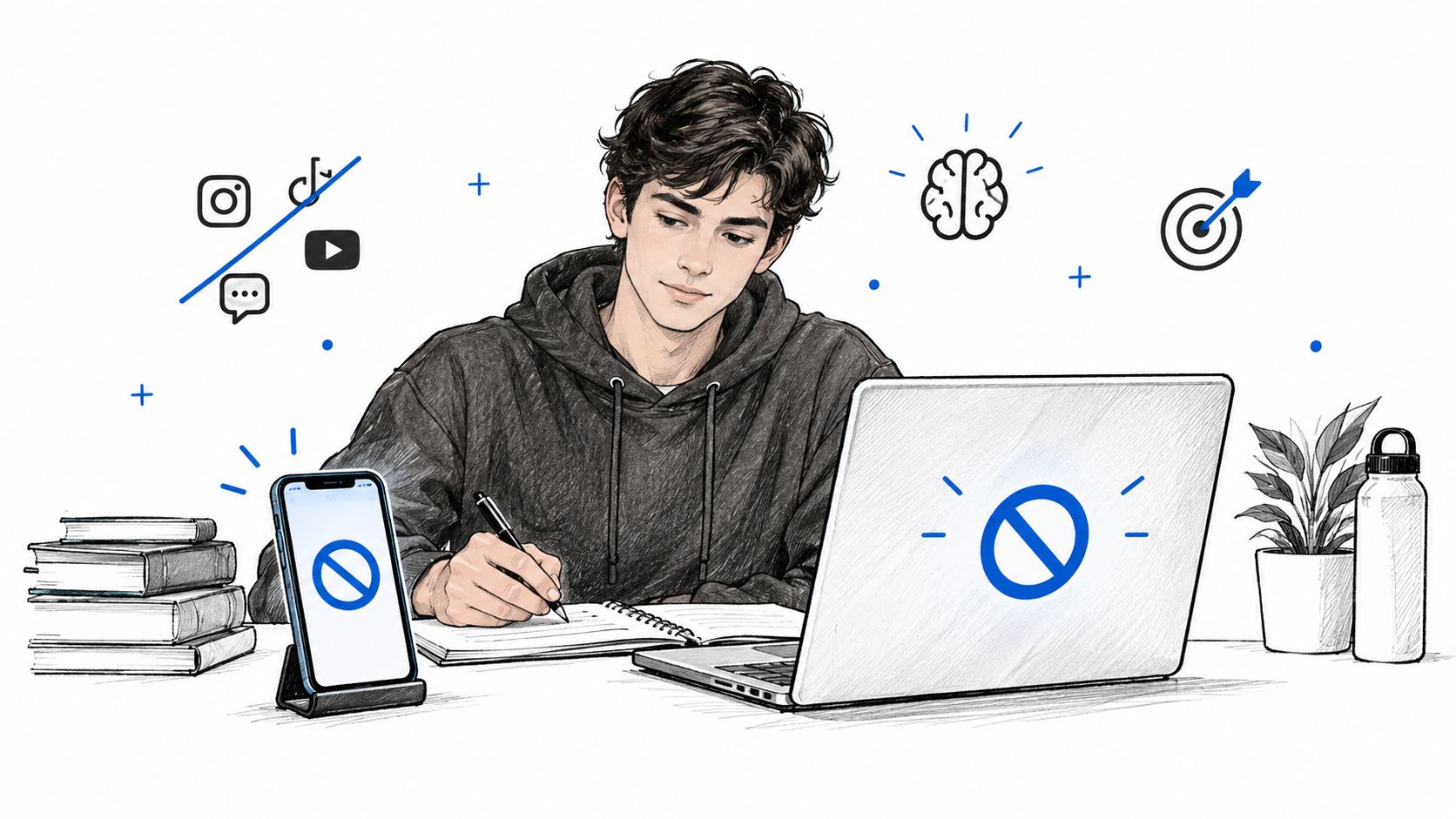
List the conflicts: Social apps, messaging, video, and any site you open when a paragraph gets hard. If you need a source site for the assignment, it is not a conflict.
Choose real exceptions: A class portal, a shared doc, maybe one messaging thread with a lab partner. "Everything except when I feel like it" is not an exception list.
Start one session for both screens: Custom duration, a difficulty mode that matches the stakes, and a break you planned. Kohru does this as a one-click Focus Session, with a break system so the pause stays deliberate instead of becoming a second evening.
Kohru is on iOS, with Android coming soon. If you are on another phone platform, you can still use the same sequence with whatever blocker you have, as long as both screens are covered in the same window of time. One screen blocked is a suggestion. Both screens blocked is a session.
The point isn't to win a contest against your phone. Mobile distractions don't only burn time. They weaken what you retain from the lecture or the reading, which is why the block belongs on before you start, not after the third check.
Troubleshooting Common Focus Barriers
Blocking is not the whole problem, and sometimes it is the wrong first move.
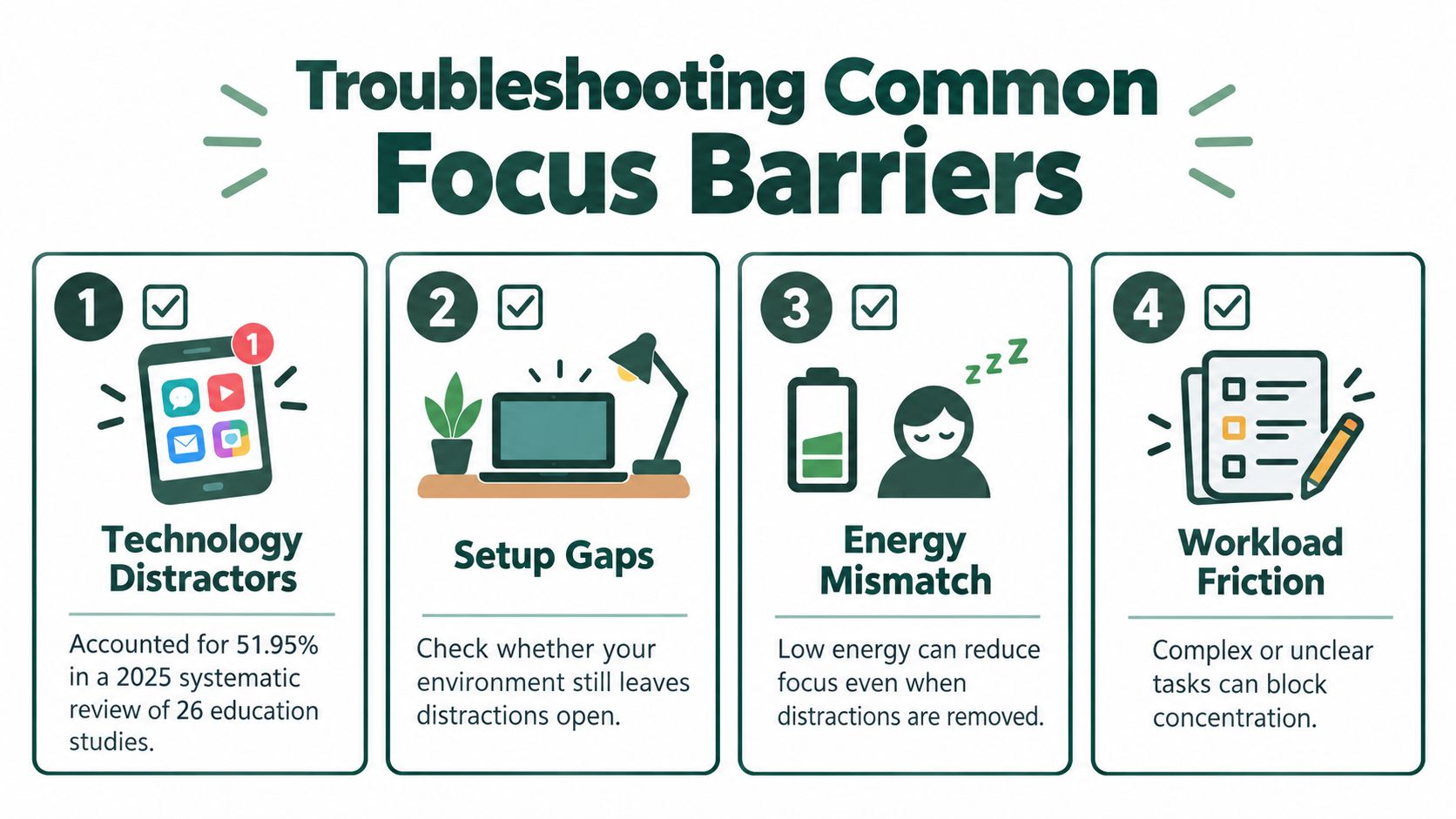
A 2025 systematic review of 26 education studies found technology distractors accounted for 51.95% of identified causes, personal needs for 37.66%, and instructional-environment factors for 10.39%. Prevention splits across environmental regulations (41.03%), technology controls (30.77%), and personal behavioral interventions (28.21%). App blocking covers one slice. Boredom, stress, a fuzzy prompt, and the need for relief pull attention even when the icons are gone.
Research that ties total screen time to attention problems is inconsistent, and strong causal proof is still limited. Treat the trigger in front of you, not a single story about screens.
A short path when the session still fails
Unclear task: You can't start because you don't know the first move. Write one action with a finish line. "Read section two and list three claims" beats "study chemistry."
Anxiety: The switch is relief, not entertainment. Schedule a five-minute check-in after the block instead of sneaking it in the middle. The worry gets a time. It doesn't get the whole hour.
Blocking raises frustration: Common for students with ADHD or other attention differences. A total lock can make starting feel impossible. Shrink the block list for low-stakes work. Keep the hard mode for the exam chapter, not for every worksheet. Pair the lighter block with a written start step and a visible checklist so the session has structure without a wall.
Low energy or a bad room: If the earlier setup is still leaky, or you are already drained, another app rule won't help. Fix the seat or shorten the block before you blame the tool.
Change one barrier at a time. If you rewrite the block list, the cue, and the task in the same night, you won't know which change mattered.
Start Your First Focus Session Today
Don't redesign the week. Run one session.
Use the trigger you already named. If it was notifications, the block is the main change. If it was boredom or a fuzzy task, write the first action before you press start. If it was habit, set the cue, then sit.
Pick one environment change and one session length. Phone out of reach, or tabs down to the assignment. Twenty minutes for dense reading, longer only if the work is familiar and your error rate stays flat. Tomorrow, start a single Focus Session with distractions restricted on both the phone and the laptop.
Afterward, write three lines. Did the block feel shorter or longer than you expected? Which distraction returned first? Did the break restore you, or did it restart the scroll? That is the review. Perfection isn't.
Kohru's dashboard keeps the record simple, with focus time saved, tasks completed, and streaks built, so a week of sessions is visible without a separate spreadsheet. Students, professionals, and anyone else who wants sustained attention to feel more ordinary can start there and adjust from what the first session shows. The second session should fix the first leak, not invent a new system.
Kohru gives students and anyone else who studies on two screens a single Focus Session that blocks distractions on phone and laptop together, with session lengths and breaks you can match to the work. That is a direct way to practice how to be more focused without treating every slip as a willpower failure. Visit Kohru and run tomorrow's session with the trigger you already named.
