You've opened your notes, but you're reading a message instead. Your browser still holds the article you meant to finish, your phone lights up beside your laptop, and you can't remember what you were about to write. If you're wondering how to stop multitasking, start with a different question: How can I make it easier to stay with my work, and easier to return when I can't?
Table of Contents
- The Moment You Realize You Have Been Multitasking for an Hour
- Why Multitasking Quietly Drains Your Day
- Finding Your Personal Multitasking Triggers
- Setting Up Environmental and Digital Blocks That Actually Work
- Designing a Focus Session With a Resumption Cue
- Adapting the System for ADHD and Other Neurodivergent Patterns
- Tracking Progress Without Spiraling Into Metrics
The Moment You Realize You Have Been Multitasking for an Hour
You sit down to study with a clear intention: finish the reading and prepare your discussion notes. Then a classmate asks about the assignment. You open the course page to check, notice another deadline, and start rearranging your calendar.
When you return to the reading, the paragraph looks familiar, but you couldn't explain it. You've been active the whole time. You just haven't finished the work you sat down to do.
Kohru is an app built for students that helps you block distractions on your phone and laptop at the same time. It's a practical answer to the digital side of stopping multitasking, alongside notification controls and a workspace arranged around your current task. But blocking distractions addresses only part of the problem: you also need a way back after an unavoidable interruption.
Replace the promise to concentrate with a restart plan
A typical promise sounds like this: “Tonight, I won't get distracted.” A more useful plan sounds like this: “I'll work on my discussion notes, keep unrelated thoughts on paper, and leave myself the next action whenever I stop.”
That distinction matters. A family member might need you, a meeting might run over, or a thought might pull you away before you notice. A workable routine needs to accommodate real life rather than depend on perfect conditions.
Focus-coach rule: Protect the task before you begin. Protect your return before you leave.
Keep these supports visible:
- A defined finish: Know what you're producing, not just which subject you're studying.
- A distraction parking lot: Capture reminders without immediately acting on them.
- A resumption cue: Write the action you'll take when you return.
- A realistic stopping point: End deliberately rather than drifting into another activity.
If you have ADHD, make the setup smaller, not stricter. A sticky note reading “Open notes, draft answer” is enough to begin. You don't need an elaborate productivity system before you're allowed to make progress.
Why Multitasking Quietly Drains Your Day
For demanding mental work, multitasking usually means rapid task-switching, not processing everything simultaneously. You move between reading, messaging, writing, and planning, repeatedly changing which task you're trying to perform.
In a University of California, Irvine workplace study, employees changed activities roughly every three minutes, and the median period of continuous online screen focus was 40 seconds; shorter focus periods were associated with lower end-of-day productivity ratings, while related evidence summarized in the research indicated that switching could make completion take about 50% longer than working sequentially.
These findings aren't a prediction of how long your next assignment will take. They show why feeling busy isn't reliable evidence that your approach is efficient.
The measured cost of switching tasks
| Work Pattern | Measured Outcome | Practical Implication |
|---|---|---|
| Frequent changes between workplace activities | Activity changes roughly every three minutes in the workplace study cited above | Reduce opportunities to change tasks without deciding to |
| Fragmented online work | Median continuous screen focus of 40 seconds in that study | Protect sustained work rather than counting open applications |
| Switching instead of sequential completion | About 50% longer completion time in related evidence summarized there | Finish a defined piece before moving to unrelated work |
Switch cost is the extra effort involved in changing task rules: you stop interpreting a reading passage and start deciding how to answer a message. Recovery time concerns your return: finding your place, reconstructing what mattered, and choosing what to do next. They're related, but they aren't interchangeable.
You might also recognize attention residue as the experience of continuing to think about unfinished work after moving elsewhere. In practical terms, you're drafting a report while mentally rehearsing the reply you haven't sent. Treat that as a signal to capture the unfinished action, not an instruction to reopen the conversation.
Not every change of activity is the same
Checking messages at a planned checkpoint is different from opening them whenever a banner appears. You've chosen the former; an incoming cue prompted the latter. Planned switching can still require effort, but it gives you an opportunity to stop cleanly.
For readers with ADHD, the useful takeaway isn't “try harder to hold attention.” It's to make task boundaries explicit. Keep the current outcome visible, separate communication from demanding work where possible, and decide what will happen when you feel the urge to switch.
Measure completed work, not the number of things you touched. A finished explanation with checked references is a clearer sign of progress than a busy collection of half-open tasks.
Finding Your Personal Multitasking Triggers
Before removing distractions, notice what pulls you away. Your trigger might be a notification, but it could also be an unclear instruction, a difficult sentence, background conversation, or the feeling that you're falling behind.
The return deserves attention too. A UC Irvine office study summarized by Berkeley HR reported an average of 12 minutes and 40 seconds on a task before interruption, 25 minutes and 26 seconds before returning to it, and approximately 15 additional minutes to regain intense concentration on difficult work. These are distinct measures, not a mandatory recovery countdown for every interruption.
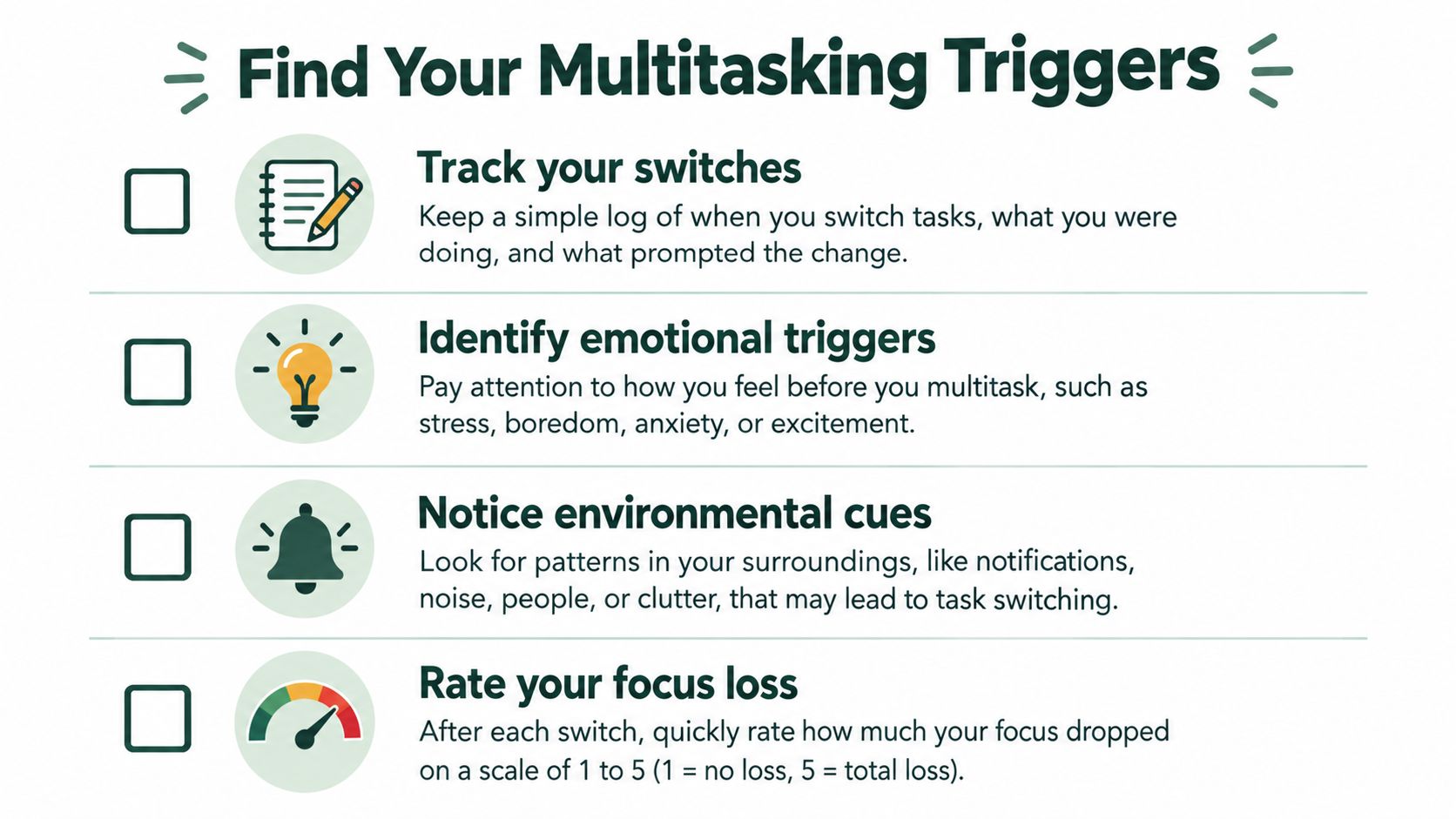
Use this checklist to notice both what starts a switch and what makes returning difficult.
Build a small trigger map
Try a 30-minute focus log as a practical exercise, not a test of your concentration. Whenever you notice a switch, jot down the original task, what drew you away, and whether returning felt easy or difficult. Keep entries short enough that logging doesn't become the distraction.
Then inspect your devices and workspace:
- Notification audit: Check banners, sounds, badge counts, and lock-screen previews. Write down which alerts require immediate action and which can wait.
- Workspace walkthrough: Look for a visible phone, unrelated paperwork, a television, or chat on another display. Choose a change you can make before your next session.
- Habit check: Notice what you do when stuck. “Opened email after reaching a difficult paragraph” is more useful than “Got distracted again.”
Your output is a shortlist, not a diagnosis. For example: “Message previews, uncertainty about the assignment, and checking my phone while thinking.”
Include the feeling before the switch
Ask yourself: Was I bored, anxious, tired, confused, or avoiding a decision? Don't assume every emotional trigger needs the same fix. Confusion may call for a smaller next action; a genuine unanswered question may need a planned research step.
For an ADHD-friendly audit, use tally marks or quick voice notes if detailed writing feels burdensome. Record a switch when you notice it, even if you can't reconstruct exactly when it happened. The information is there to help you adjust your surroundings, not to judge your character.
Setting Up Environmental and Digital Blocks That Actually Work
Start with the triggers you identified, rather than trying to create a perfectly empty desk. If your phone is the main escape route, move it out of reach. If messages on your laptop pull you away, moving the phone alone won't address the problem.
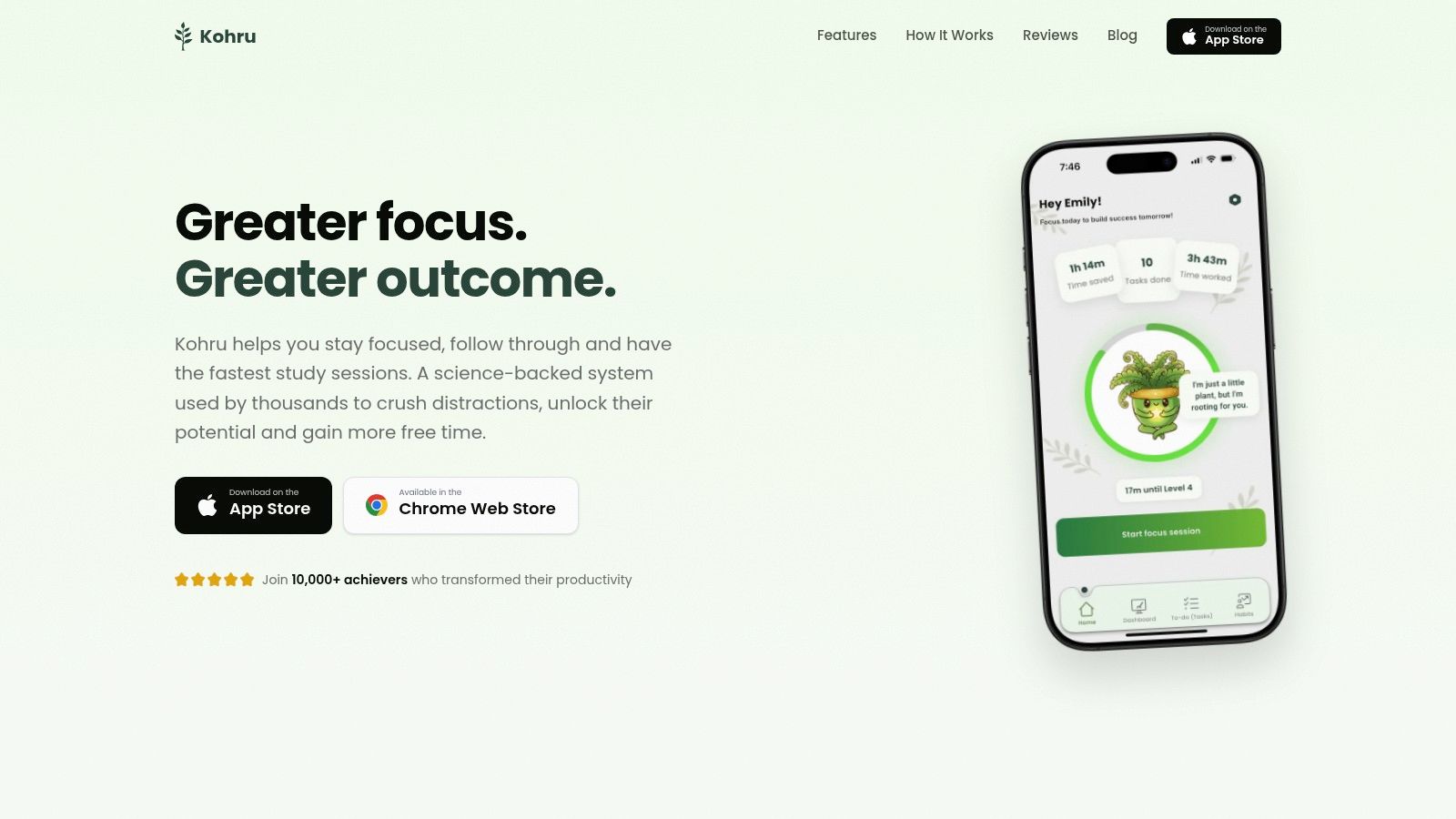
For students, Kohru offers a coordinated Focus Session that blocks digital distractions on the phone and laptop together. That makes it one practical answer to how to stop multitasking across study devices, alongside built-in notification settings and scheduled communication windows.
The screenshot below shows the app's interface.
Arrange the workspace around the outcome
Keep the material needed for the current task accessible. A document and its source can sit side by side without becoming separate tasks. The useful rule is one work purpose, not necessarily one window.
A review of student multitasking research reported that 99% of 3,372 self-directed computer sessions by 1,249 students involved multitasking; it also described students who used instant messaging while reading taking 12.56 minutes, compared with 8.23 minutes without multitasking, roughly 53% longer. Those findings support removing competing inputs, but they don't establish a particular performance improvement from using an app.
Put a visible task card beside your keyboard: “Draft the methods explanation.” Close unrelated tabs, mail, and chat. If you need a reference, open it deliberately rather than keeping every possible resource available “just in case.”
For ADHD-friendly setup, leave necessary materials visible while removing unrelated cues. An empty desktop isn't useful if you then forget which document you need. Place the task card where you naturally look.
Decide who can interrupt you
Silence nonessential alerts, but preserve a route for urgent safety, caregiving, or operational needs. If colleagues depend on you, explain when you'll check messages and how to reach you for something time-sensitive.
Try an if–then rule: “If a nonurgent request arrives, I capture it and respond at my communication checkpoint.” Research on proactive task-load management connects planned task execution with fewer experiences of fragmentation and lost control; advance preparation can reduce switching costs without eliminating them.
For another way to think about your study setup, the video below offers a viewing checkpoint before you return to your own task.
Use this daily setup checklist:
- Name the work: Display the outcome you're aiming to finish.
- Keep necessary inputs: Open the document and relevant references.
- Remove competing inputs: Close chat and activate your distraction blocks.
- Preserve exceptions: Keep essential contact routes available.
- Prepare the return: Leave paper or a note ready for your next-action cue.
Designing a Focus Session With a Resumption Cue
A protected environment helps you begin. A resumption cue helps you return: a short instruction that tells you what to do next, rather than merely recording what you already did.
A 2025 Scientific Reports experiment on interruption cues found that prompts pointing to the next action improved recovery, especially when participants were fatigued; prompts pointing only to the last completed action reduced workload and improved alertness but didn't improve task performance. A handwritten next-action note is a practical application of that distinction, not a guarantee of the same experimental result.
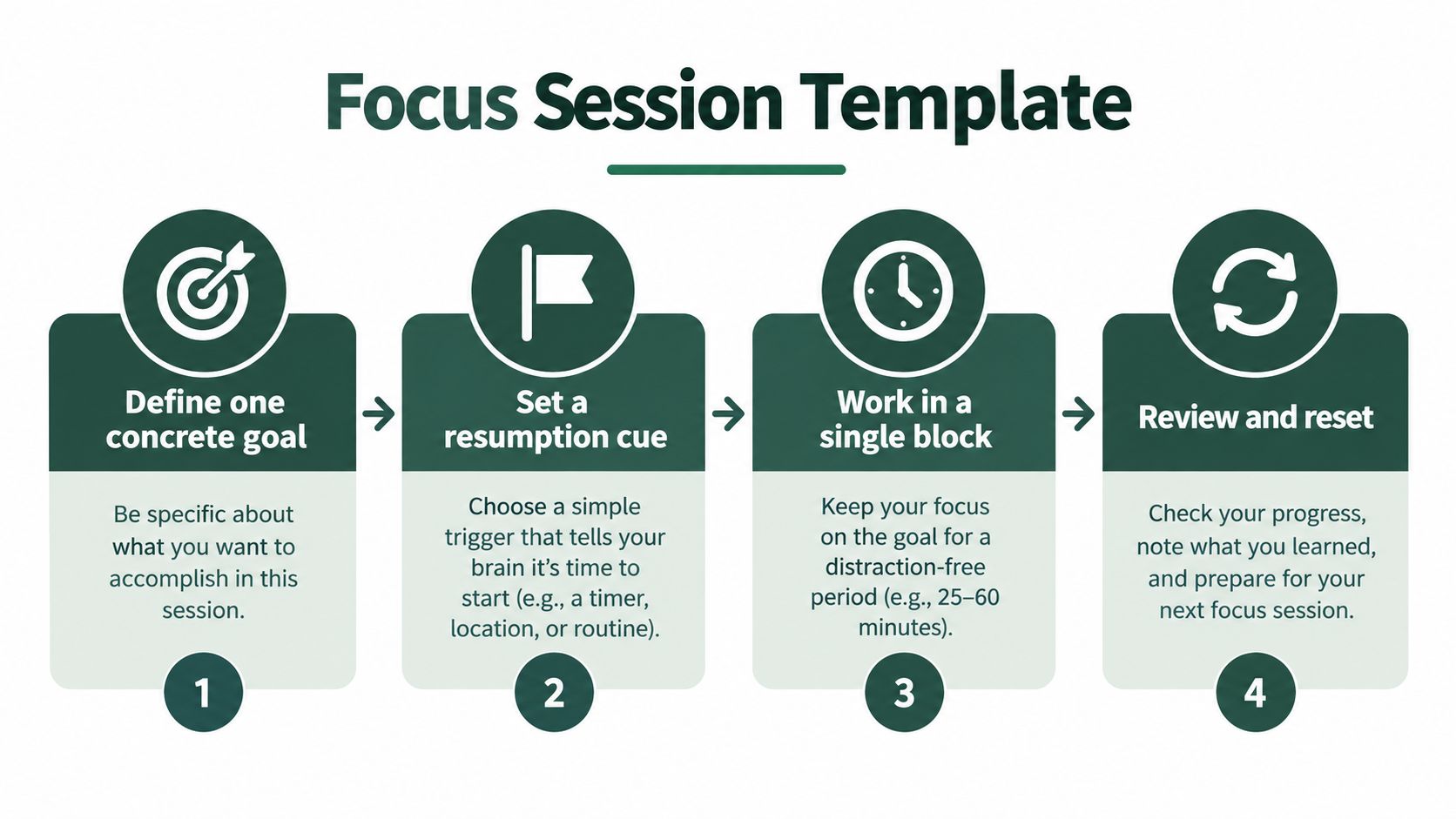
Keep this session template somewhere you can see it.
Make the first action unmistakable
Choose a concrete outcome, such as “Explain the argument using evidence from my notes.” Then choose a 25–60-minute block as a starting routine, adjusting it to the task and your capacity. That range is a planning option, not an ideal duration everyone must meet.
Before starting, write the first physical action. “Work on essay” is vague; “Open the outline and draft the comparison paragraph” gives you somewhere to begin. Keep unrelated thoughts in your parking lot rather than turning them into new assignments.
A worked study example
Suppose you plan a 50-minute study block to compare readings and draft discussion notes. You've opened the relevant passages and started writing when a text requires your attention.
If it can wait, keep working. If it can't, leave a cue before switching:
Next: Compare the authors' explanations of the problem.
Start here: Reopen the highlighted passages and write the comparison sentence.
After handling the interruption, read the cue before opening anything else. Don't begin by reviewing every completed note. Begin with the specified action, then recover any additional context you need.
For ADHD accommodations, lower the writing requirement: “Compare highlighted passages” may be enough. A voice note can work if recording and replaying it won't pull you into other phone activity. If an interruption gives you no time to prepare, write a rough cue as soon as you can.
End the block by recording the next action, checking what you produced, and taking a short non-digital break. Stand up, get water, or look away from the screen rather than turning the break into another stream of messages.
For a broader perspective on sustainable pacing, Madeira Remote's How to Improve Work Efficiency Without Burning is a useful companion resource. Keep the distinction clear: a successful session has a manageable return path, not a longer timer.
Adapting the System for ADHD and Other Neurodivergent Patterns
You might sit down with everything blocked and still struggle to start. Or you might become absorbed in a task and miss the stopping point. If either pattern feels familiar, adapt the routine to what you notice rather than treating the template as a rulebook.
These are practical accommodations to experiment with, not clinical treatments or claims that every person with ADHD needs the same approach. For context beyond productivity routines, XO's guide to adult ADHD care offers a starting point for exploring the subject.
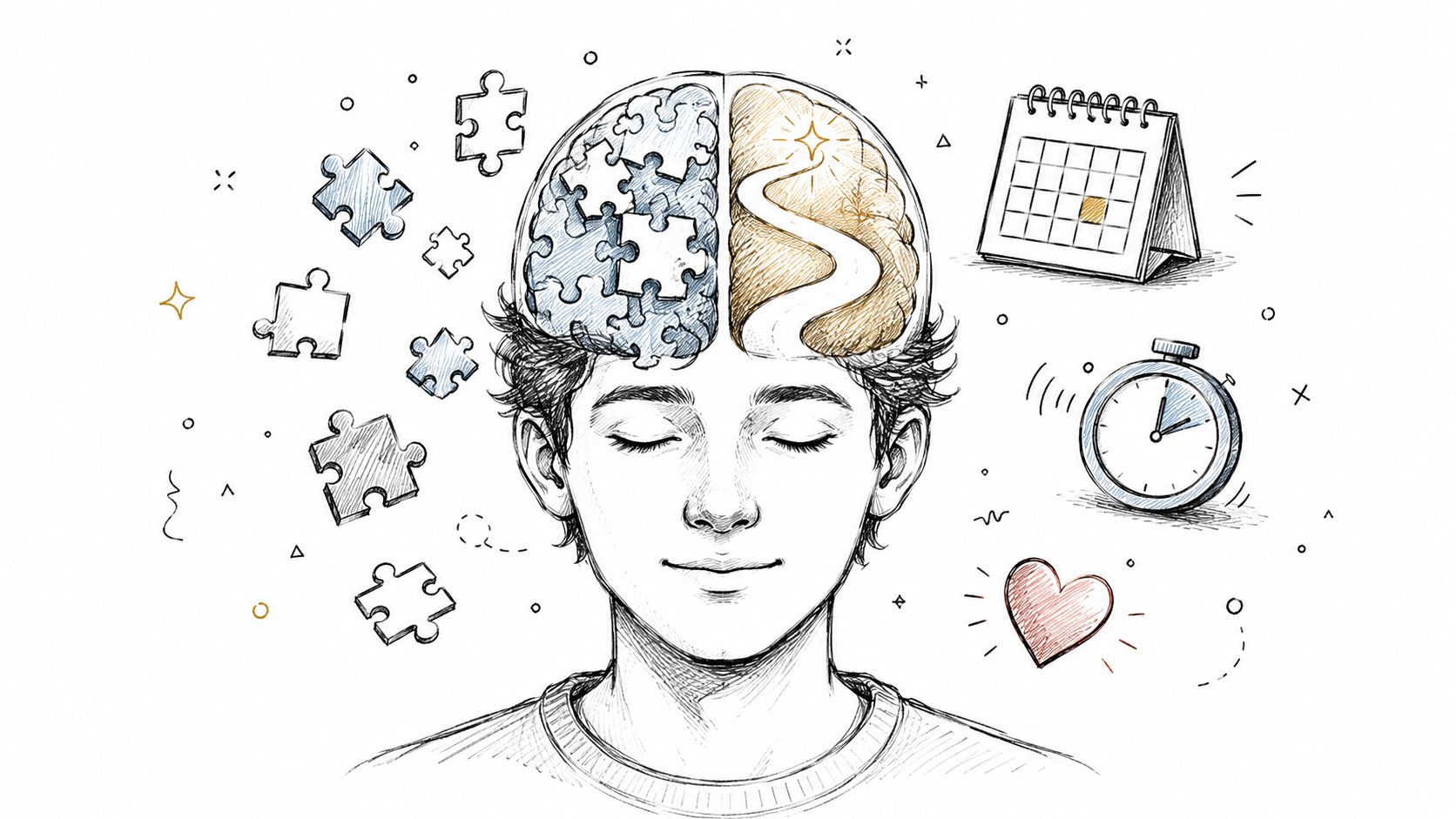
Change the support rather than abandoning the task
Consider a student who keeps leaving a dull reading assignment. Instead of alternating between the reading and social media, they could change how they engage with the same material: annotate a passage, explain it aloud, or draft a question about it. That offers variation without introducing an unrelated workstream.
Task-switching research summarized by the American Psychological Association includes trials averaging 889 milliseconds when switching versus 808 milliseconds when repeating, an 81-millisecond switch cost, and an applied puzzle study in which uninterrupted participants finished 26% faster than those interrupted once and 30% faster than those interrupted four times. These aren't ADHD-specific findings; they support distinguishing useful task variation from repeated interruptions.
Try accommodations matched to your experience:
- For time blindness: Put a visible timer beside the task and decide what you'll do when it signals.
- For difficult starts: Shorten the session and reduce the entry action to opening a file or marking a passage.
- For novelty needs: Change the method while keeping the same outcome.
- For external structure: Experiment with a quiet study partner, body doubling, or a recorded focus session.
- For difficult returns: Use a sticky note, a short phrase, or a voice cue instead of relying on memory.
A usable cue you'll actually leave is more valuable than a detailed cue you keep postponing.
Plan for low-energy periods
If you anticipate a motivation or energy drop, reserve an easier administrative batch where your deadlines allow. Don't assume every slump has a particular biological cause, and don't turn low-energy planning into automatic avoidance of important work.
Keep accommodations that help you begin, return, and finish. Change those that create more setup than useful work.
Tracking Progress Without Spiraling Into Metrics
Track enough to learn whether the routine helps, then stop tracking. A brief session note is more useful than a dashboard you keep checking while you're supposed to work.
Keep the review lightweight
Use these measures:
- Intended-task minutes: Estimate how much of the session you spent on the chosen work.
- Unplanned switches: Tally changes you hadn't decided to make.
- Clean resumptions: Note whether the cue let you take the next action without searching.
- Satisfaction: Add a personal 0–10 score, used as a reflection scale rather than a validated assessment.
Review the pattern over two to three weeks, not just your best afternoon. Look for more completed work, fewer discretionary switches, and easier returns without unacceptable errors or exhaustion. For ADHD-friendly tracking, a checkmark and a short note can replace detailed entries.
If progress slips, inspect changes in notifications, workload, task clarity, and energy before blaming discipline. Adjust a variable, such as your communication checkpoint or cue wording, while keeping the rest stable.
At 30 days, compare your first and most recent sessions using the same questions: What did I finish? What pulled me away? Could I return? Keep the supports that helped and simplify those you avoided.
Kohru is built for students and blocks digital distractions on your phone and laptop at the same time. Visit Kohru to set up a Focus Session for your next assignment, then keep a next-action note beside you so you're prepared both to focus and to return.
