Summary of the Article
The opposite of doomscrolling is scrolling with intention. Writers have given it names like hopescrolling and bloomscrolling, but the habit behind the names is simple: decide what you want from your phone before you open it, then put it down when you're done.
- Hopescrolling: deliberately looking for uplifting or hopeful content, like good news stories.
- Bloomscrolling: seeking out inspiring or nourishing posts, such as art, nature or tutorials.
- Intentional (mindful) media use: checking in with yourself, setting time limits and curating what you see.
- Focus sessions: the strongest opposite, where you replace the scroll with a scheduled, distraction-free block of study or work.
Willpower alone rarely beats the pull of the feed. The fix is a routine: rules for when you do scroll, blocking for when you shouldn't, and a way to track whether the new habit is sticking.
The problem: you know what doomscrolling is, but not what to do instead
You pick up your phone to check one thing. Forty minutes later you're deep in a feed, feeling worse than before, and the essay or problem set is still untouched.
That habit is doomscrolling: compulsively consuming negative news and content even though it drains you. We've covered what doomscrolling is and why you can't stop in detail. The short version is that your brain has a negativity bias, so threatening or upsetting content grabs attention almost effortlessly, and the app's design rewards every additional swipe.
Knowing that doesn't solve it. "Stop doomscrolling" is a vague goal, and vague goals lose to a slot machine in your pocket. What works better is replacing the habit with something specific. That's where the opposites come in.
What is the opposite of doomscrolling, exactly?
There are a few named versions of it, and they're worth knowing because they describe different behaviors:
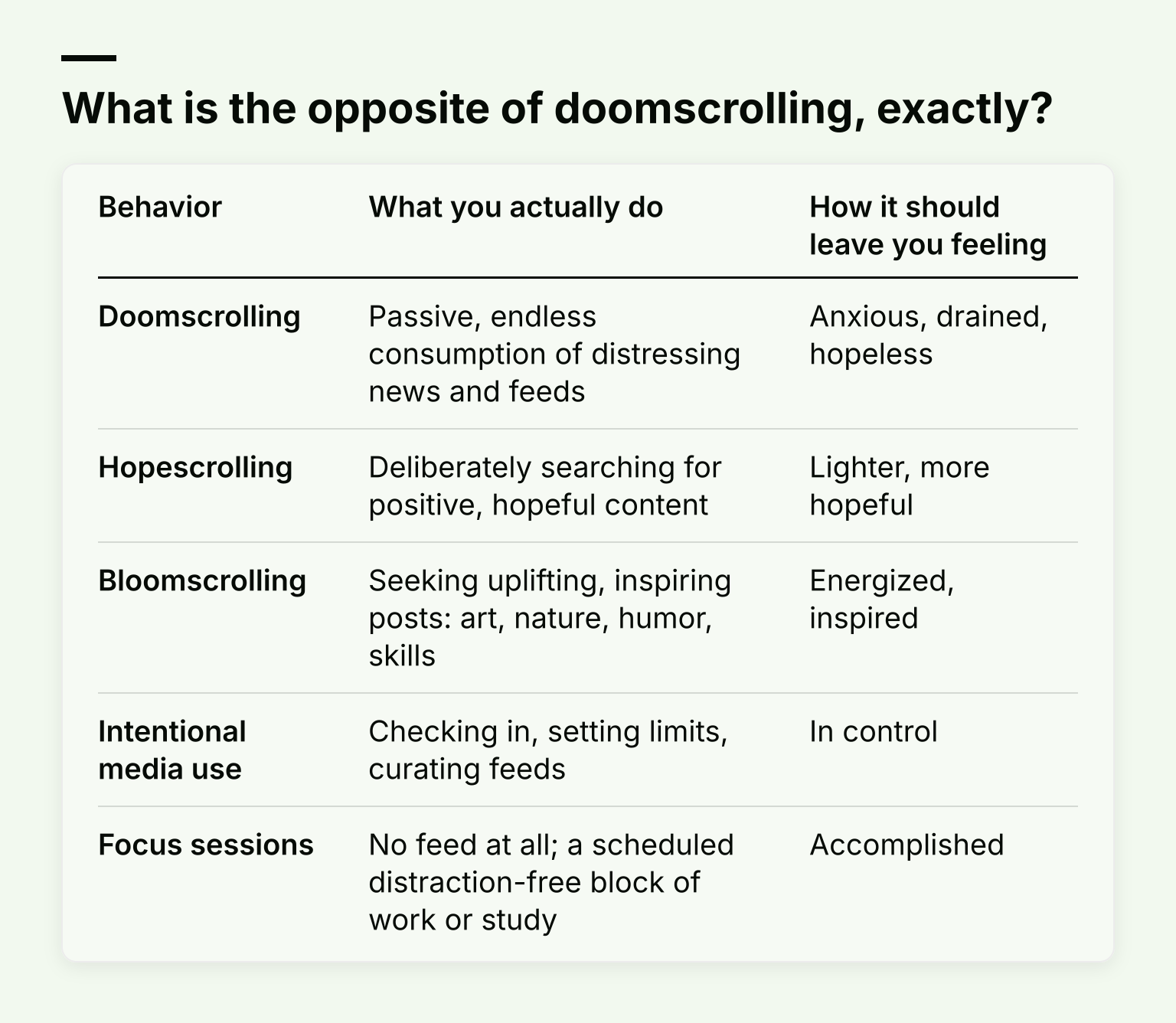
| Behavior |
What you actually do |
How it should leave you feeling |
| Doomscrolling |
Passive, endless consumption of distressing news and feeds |
Anxious, drained, hopeless |
| Hopescrolling |
Deliberately searching for positive, hopeful content |
Lighter, more hopeful |
| Bloomscrolling |
Seeking uplifting, inspiring posts: art, nature, humor, skills |
Energized, inspired |
| Intentional media use |
Checking in, setting limits, curating feeds |
In control |
| Focus sessions |
No feed at all; a scheduled distraction-free block of work or study |
Accomplished |
Healthline defines hopescrolling as deliberately searching for positive content: acts of kindness, uplifting stories, humor, the beauty of nature. Vice recently covered bloomscrolling, where therapists describe intentionally seeking content that fuels you instead of depleting you.
One honest caveat: positivity scrolling isn't a magic cure. Research on "kindness scrolling" found it buffered the emotional dip from negative news, but it didn't lift wellbeing above baseline. And positive content doesn't cancel out compulsive behavior. Scrolling cute animal videos until 1 a.m. still costs you sleep. So treat hopescrolling and bloomscrolling as gentler replacements, not a free pass to scroll indefinitely.
Why replacement beats elimination
Habits follow a loop: a cue (boredom, stress, a notification), a routine (opening the app), a reward (a small hit of novelty or relief). If you just delete the routine without replacing it, the cue still fires and the urge has nowhere to go, which is why cold-turkey attempts usually collapse in a few days.
Substituting a new routine for the old one works better because it keeps the loop intact while changing what happens inside it. Feeling anxious at midnight? The cue still arrives, but now the routine is reading a book instead of refreshing the news. That's the same principle behind most habit-change advice, and it's the backbone of this article.
Rule 1: set an intention before you open the phone
Before you unlock your phone, answer one question: what am I here to do? "Check the train times" is an intention. "Just checking things" is not, because "things" becomes an hour.
Add a quick body and mood check-in, borrowed from Psychology Today's mindful engagement self-check questions:
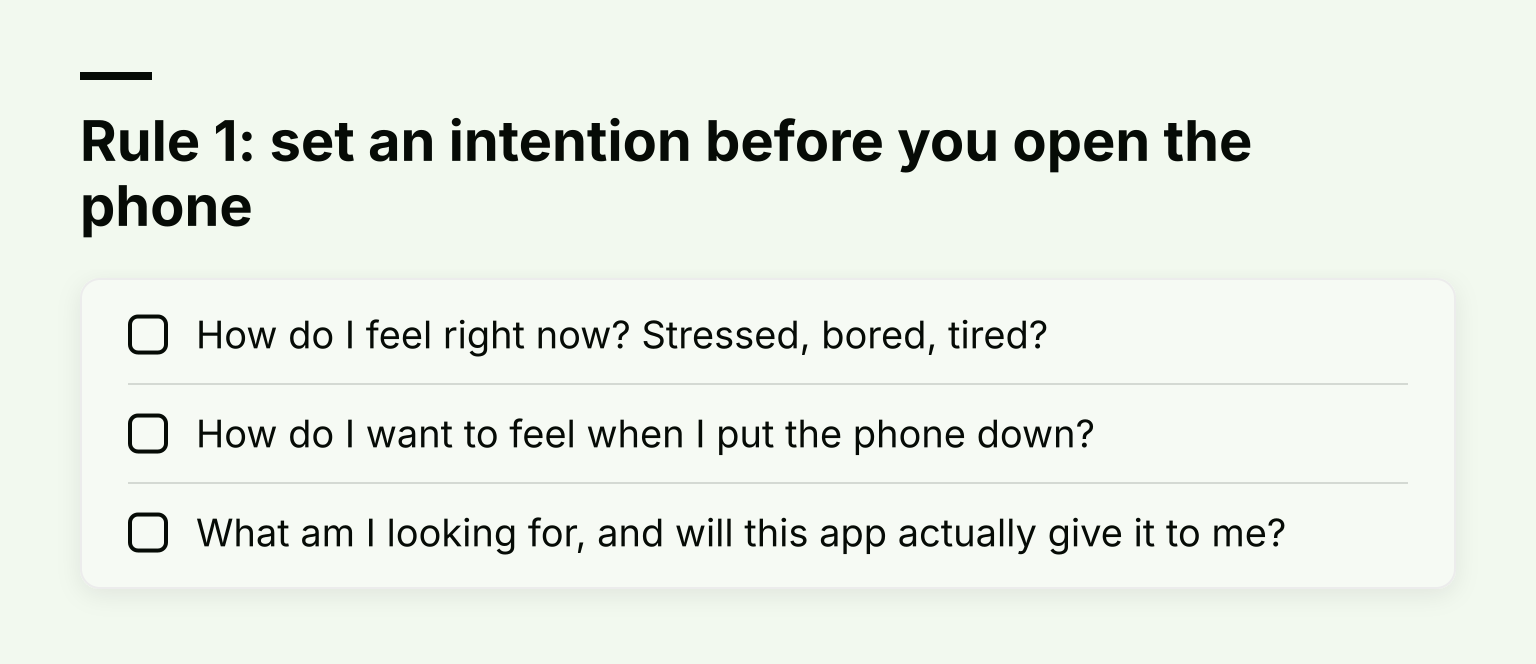
- How do I feel right now? Stressed, bored, tired?
- How do I want to feel when I put the phone down?
- What am I looking for, and will this app actually give it to me?
While you're scrolling, do the same thing in reverse. If you notice you're stressed, upset or agitated, that's your signal to get off the phone and do something else. A good trick: only allow yourself to scroll while standing. That small friction is often enough to make you think twice.
Rule 2: set a time limit and honor it
Ten to 20 minutes is enough for a deliberate session. Set a timer, and put the phone down when it rings, even mid-scroll.
Use your phone's built-in app limits or a screen time app to enforce the boundary for you. Hardware-level rules beat promises you make to yourself at 11 p.m., especially in the first weeks when the habit is fragile.
Rule 3: design your environment so the wrong choice is harder
Two cheap environment changes do most of the heavy lifting:
- Turn off non-essential notifications. Every badge and ding is an invitation to open the app. Turning them off means you choose when to scroll instead of the phone choosing for you.
- Curate your feed. Unfollow accounts that leave you feeling worse. Follow accounts that inspire or teach you. The algorithm learns from your clicks, so clicking on good content gradually reshapes what your feed serves you.
Then add structure: a digital curfew (no social media after 8 p.m.), device-free meals, and no phone in the bedroom. We go deeper on these in social media boundaries that actually stick.
The strongest opposite: scheduled focus sessions
Hopescrolling is still screen time. If you want to truly invert the habit, replace the scroll with a scheduled, distraction-free block of work.
The idea is simple. You pick a task, set a timer for 25 or 50 minutes, block every tempting app and website, and work until the timer ends. The scroll habit doesn't disappear; it gets redirected into something that pays you back.
Here's how to set it up with Kohru: turn a task from your Work or Personal list into a focus session, block distracting apps and websites across your phone and laptop, and use the Chrome extension so the same block applies in your browser. Habit and focus-time tracking then shows you how much attention you actually reclaimed, day by day. Blocking across every device matters because the temptation loop is exactly that: if the phone is locked but the laptop isn't, the doom finds a way.
Track the new habit, or it won't last
You don't need an elaborate system. Track two or three things for the first month:
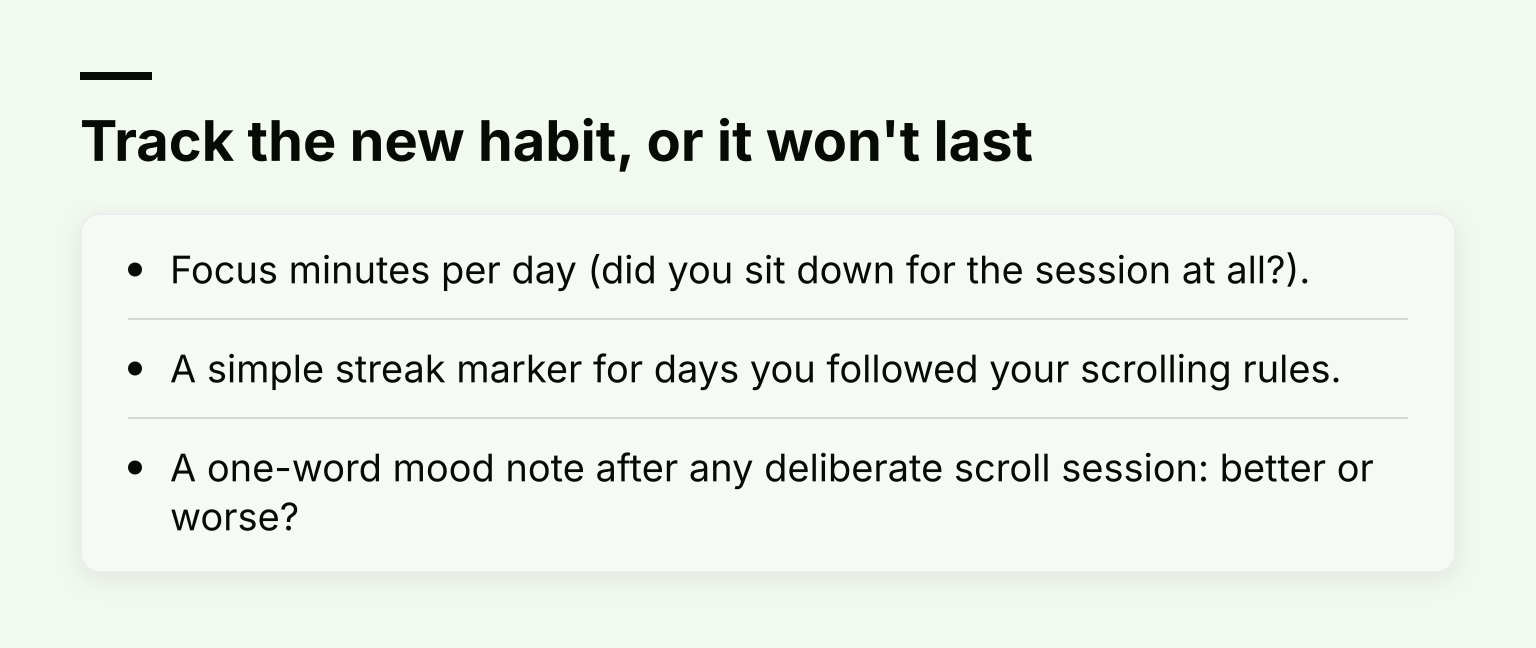
- Focus minutes per day (did you sit down for the session at all?).
- A simple streak marker for days you followed your scrolling rules.
- A one-word mood note after any deliberate scroll session: better or worse?
The mood note is the one most people skip, and it's the most convincing. When you can see in black and white that intentional scrolling leaves you better and doomscrolling leaves you worse, the rules stop feeling like restrictions. For formats that work, see our habit tracking ideas that stick.
Your first week: a realistic plan
Don't rebuild your whole digital life in one day. Try this:
- Day 1: Turn off notifications for social and news apps.
- Day 2: Unfollow the five accounts that reliably make you feel worse.
- Day 3: Schedule one 25-minute focus session and set a blocklist for it.
- Day 4: Add a 10-minute timed news check-in, once a day, with a timer.
- Day 5: Set a digital curfew (pick a hard cutoff, like 9 p.m.).
- Day 6: Add a second focus session, ideally at the time you usually doomscroll.
- Day 7: Review. Check your focus minutes and mood notes, then adjust one rule.
Common failure points, so they don't surprise you: breaking the curfew once and quitting entirely, the algorithm pulling you back with rage-bait as it re-learns your taste, and "escape scrolling," where you use positive content to avoid something you're anxious about. If you slip, count the catch as the win. Noticing mid-scroll is the skill you're building.
When deletion is the better tradeoff
Intentional use only works if the app still respects your limits. If a specific app defeats every timer and blocklist you try, deleting it is a legitimate choice, not a failure. Healthline makes the same point: if time limits don't hold, removing the app removes the temptation entirely.
A middle path: delete the app but keep the browser version, so checking it requires deliberate effort rather than a two-tap reflex. Most people find that friction alone cuts usage dramatically. Our guide on how to stop scrolling goes deeper on triggers and replacement habits if you want more on this.
Students vs. working students: adjust the routine
If you're a university student, anchor focus sessions to study blocks and protect the hour before bed, since evening doomscrolling is what wrecks the next morning. Use timed feed checks between study blocks, not during them.
If you're a working student or juggling a job, your risk window is often the commute and the dead half-hours after work. Give the commute a replacement (a podcast, a book, or genuinely nothing) and use one lunchtime focus session to start your evening tasks before the scroll eats the whole evening. And if you have ADHD or other attention-regulation challenges, external structure like blocklists and visible streaks tends to matter even more; our guide to choosing an ADHD management app covers what to look for.
FAQ
Is hopescrolling still screen time? Yes. It's better-feeling screen time, but the clock still runs, which is why the time limit rule applies to it too.
Does intentional scrolling actually work? Moderately. The evidence is cautiously encouraging: it buffers the emotional dip of negative content and reshapes your feed over time. It works best as part of a routine that also includes focus sessions, not as a standalone fix.
Isn't avoiding news irresponsible? Intentional scrolling isn't news avoidance. A timed daily check-in keeps you informed; endless scrolling keeps you anxious without making you better informed.
Start with one focus session
You don't need to renounce your phone. You need one rule, one limit and one scheduled block of real focus tomorrow. If you want the blocking, focus sessions and habit tracking in one place, download Kohru from the App Store, or add the Chrome extension for your laptop, and run your first session this week.
