Yes, social media is distracting, mainly through interruptions and task switching rather than through total minutes on an app. People who used instant messaging while reading took 22%–59% longer to finish than people who messaged before reading or did not message at all.
A ping you never open can still knock a sentence out of your head. The useful question is not "How many hours did I spend?" It is "How often did something pull me out, and what was I doing in the minute before I sat down to work?" The changes that help sit at those switch points, on the phone and on the laptop, not only in a weekly screen-time total.
Table of Contents
- What the Evidence Shows on Social Media Distraction
- Why a Silent Notification Still Breaks Your Focus
- How Reward Loops and Scrolling Habits Pull Attention
- Why Your Phone Hurts Focus Even When It Is Off
- Which Blocking Method Covers Both Phone and Laptop
- Set Up and Run Your First Focus Session
- Special Cases Where Blocking Needs More Care
What the Evidence Shows on Social Media Distraction
In a survey of more than 10,000 U.S. parents, 75% said social media is a major distraction for students, according to Rice University's 2023 report. That survey captures parents' views. Other sources examine students' habits, reading performance, and work output, so their figures answer different questions.
Kohru is a study and productivity app for students. It blocks selected distracting apps on a phone and selected websites and apps on a laptop during the same timed session. That matters because focused work can move between devices.
| Source | Who was studied | Key number | What it shows |
|---|---|---|---|
| Rice University parent survey (2023) | More than 10,000 U.S. parents | 75% call social media a major student distraction | Parents see distraction as widespread |
| Resume Now workplace survey (2025) | 1,127 U.S. workers | 27% name social media their biggest workplace distraction; 53% post during work hours | Distraction is also reported at work |
| Student snapshot study (2025) | 335 students | 89.9% use phones before sleep; 32.8% keep notifications on while studying | Phone use spans different parts of the day |
| 2018 review of media multitasking | Studies of university students | One cited study found students took 22%–59% longer to finish reading while instant messaging | Messaging can slow reading |
| Online worker field experiment | Online workers | Blocking social media was associated with about 35% more tasks completed per hour | A separate work experiment tested restricted access |
The 22%–59% range comes from a study cited in the 2018 review, not from the review as a single experiment. The same review summarizes separate student studies: one reported that 90% of university students multitasked while using media, with more than half of media-use time involving multitasking. It also cites classroom studies reporting 69% texting during class, 28% using Facebook or email, and 21% using those platforms for off-task purposes. These figures describe different samples and behaviors, rather than one combined measure.
The review links media multitasking with weaker attention and working memory, along with poorer academic outcomes such as test performance, recall, reading comprehension, note-taking, and efficiency. The online-worker field experiment is separate evidence, from a non-student group: when social-media access was blocked, workers completed more tasks per hour. Together, these findings suggest that the timing and frequency of interruptions can matter for performance, while the effects vary by setting and task.
Why a Silent Notification Still Breaks Your Focus
A notification can interrupt a sentence without making a sound. Even if you leave it unopened, your attention may shift toward the alert and then need time to settle back into the task.
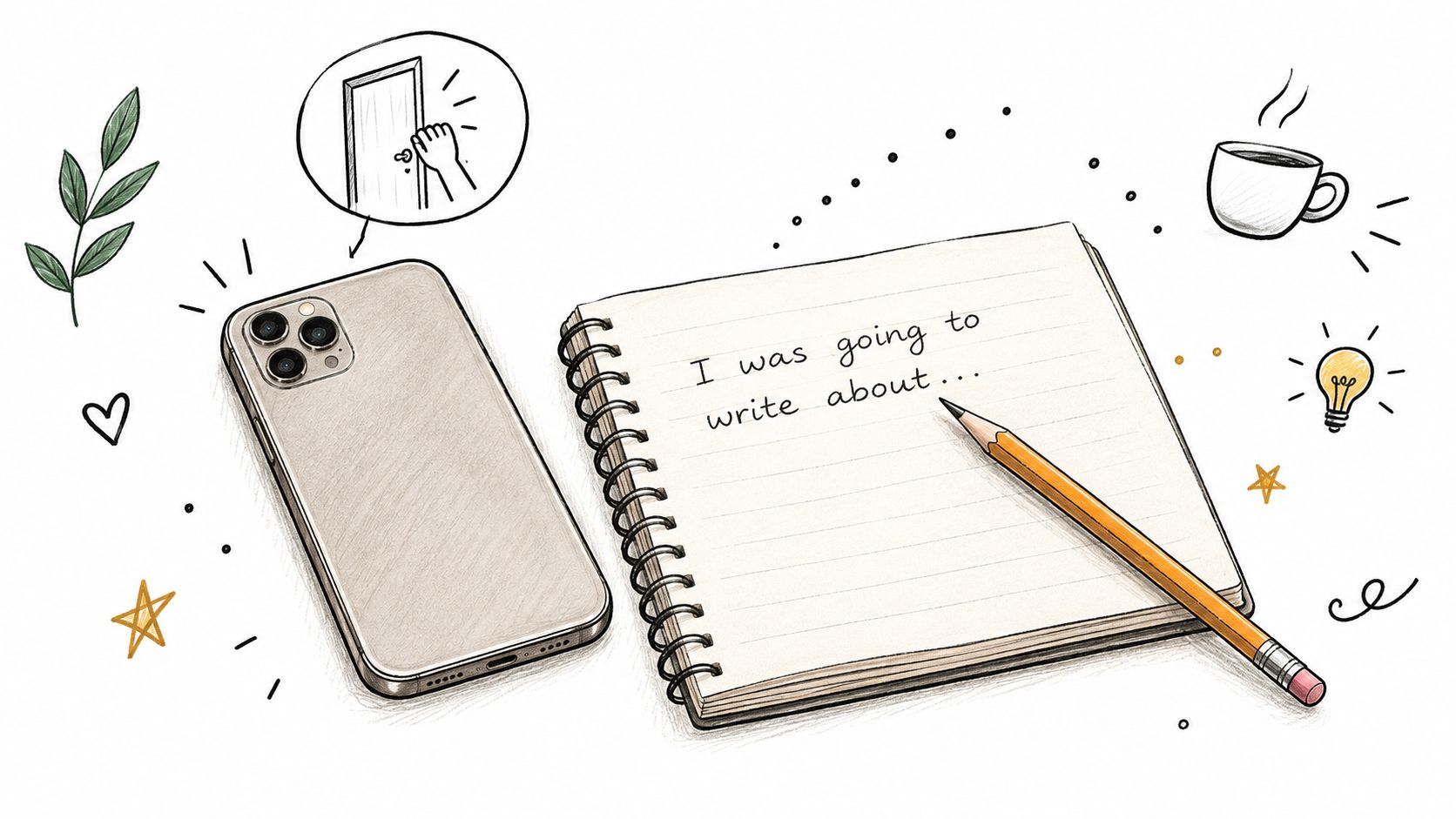
In a Stroop task, researchers found that processing slowed for about seven seconds after smartphone-style notification cues, even when participants did not open an app. The result appears in an OSF preprint on notification cues, which has not been peer reviewed.
The study's authors proposed several possible reasons an alert might capture attention. A bright banner may stand out visually. Past experience with messages or likes may make a notification seem worth checking. And a person may briefly assess whether it is relevant. These are proposed explanations, not three mechanisms the study established.
A simple arithmetic illustration
This is arithmetic, not a measured lab result: ten alerts in a 50-minute work session, multiplied by about seven seconds each, amount to roughly 70 seconds of slower processing. Finding your place again can add time, though the example does not measure how much.
The embedded video is included below.
Before focused work, silence nonessential alerts on both your phone and laptop. Reducing interruptions targets the moments attention switches, rather than treating total screen time as the only measure that matters.
How Reward Loops and Scrolling Habits Pull Attention
Repeated short visits and long scrolling sessions interrupt focused work in different ways. A three-week study that tracked adolescents' smartphone use found that fragmented use and sticky use were each associated with greater distraction for some participants. The pattern matters more than total screen time alone: frequent switches pull attention away again and again, while a long feed keeps it occupied.
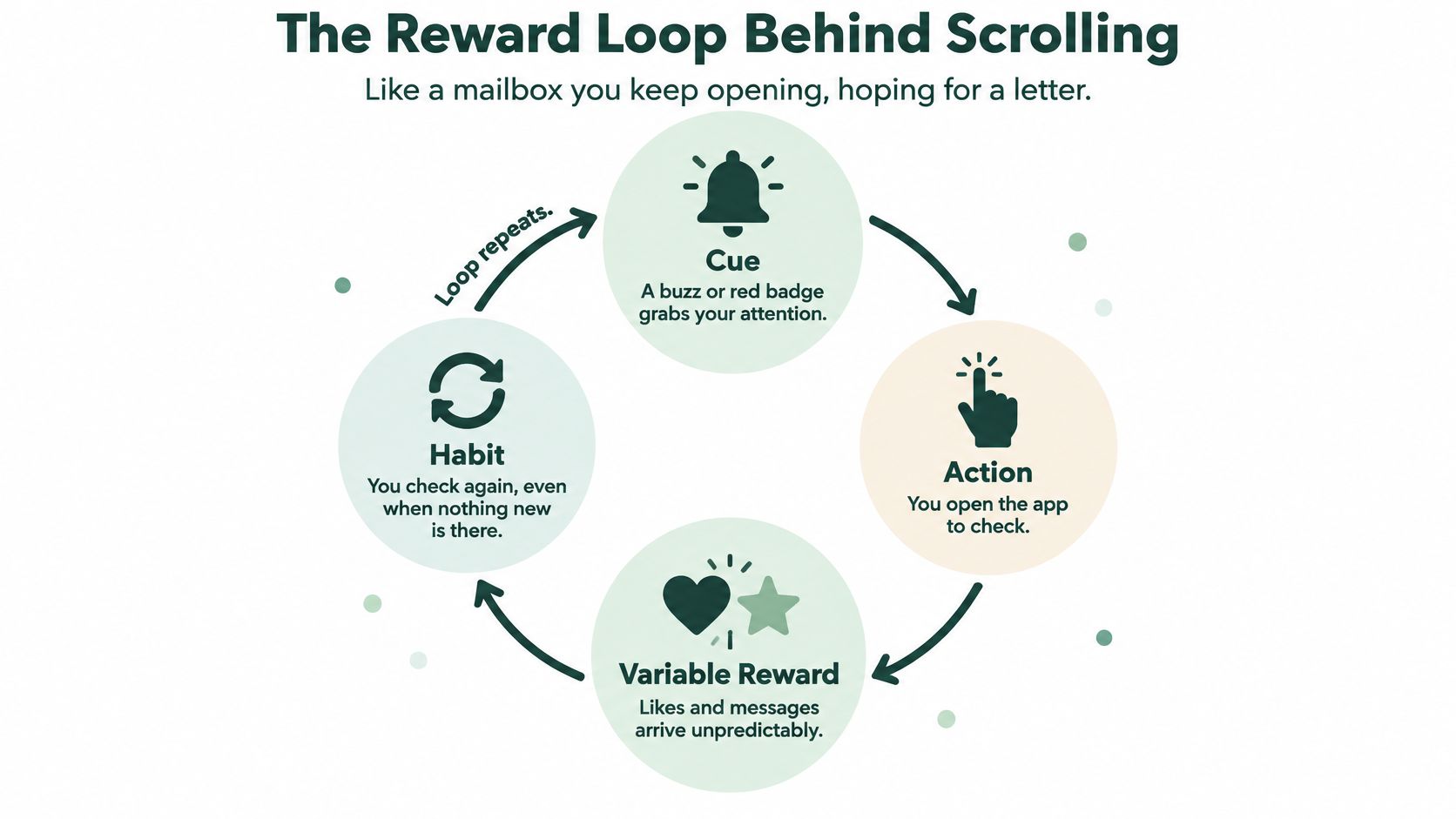
A social app can work like a mailbox with unpredictable deliveries. You open it, sometimes find a reply or a like, and sometimes find nothing new. Because the reward is uncertain, the cue can prompt another check. Feeds without a clear endpoint add to the pull: another post is always one swipe away.
| Pattern | What it looks like | Why it distracts | Practical counter |
|---|---|---|---|
| Fragmented checking | Many short opens spread across the hour | Each switch pulls attention from the task | Batch checks into two or three set windows |
| Sticky scrolling | One long feed session that is hard to stop | The session keeps attention away from schoolwork | Set a timer before opening the app |
| Short-video binge | A long stretch of short-video viewing | Rapid clips can make it harder to settle into sustained work | Block video apps during study sessions |
The goal is to interrupt the habit at its switch points, on both phone and laptop. Cutting total screen time may help, but it does not address a feed that is open just before work or a string of quick checks during it.
Check the log tonight
Open your screen-time log for one ordinary day. Look for the pattern, then choose a counter that fits it:
- Many short opens: Set two or three check-in windows and silence or block social apps between them.
- One long session: Set a timer before opening the app, and close it when the timer ends.
- Long stretches of short video: Exclude those apps from study sessions rather than relying on a quick watch as a break.
A timer cannot solve repeated check-ins on its own. Set limits on the devices and sites where those switches happen.
Why Your Phone Hurts Focus Even When It Is Off
A University of Texas at Austin study of nearly 800 smartphone users found higher cognitive-capacity scores when phones were in another room than when they were on a desk. The researchers also found slightly lower scores when phones were in pockets or bags. Whether the phone was on or off, face up or face down, did not change the results. The study suggests that a nearby phone can use some of the mental capacity a task requires.
A phone at the edge of your desk works like a radio in the next room. Even when it is silent, part of your attention may stay ready for it. Moving it farther away can remove that quiet pull.
What you do in the five minutes before reading
The moments before focused work matter, too. In a 2025 study of 242 college students, five minutes of TikTok browsing before reading long-form news was linked with poorer focus and faster eye movements across the text. Rapid feeds encourage quick shifts between items. Sustained reading asks attention to stay with one line and follow an idea.
Put the phone out of sight before starting, and avoid using a feed as the warm-up for demanding work. If you need to check something first, create a brief transition: stand up or read a page of notes before beginning. The goal is to give your attention a clear change of pace.
Which Blocking Method Covers Both Phone and Laptop
A blocker that covers one screen leaves the other as an exit. Students move between phone and laptop all the time, so a rule on only one device is a rule with a hole.
Phone in another room blocks every phone app for that sitting. The gap is practical. You need a place to put it, and you still have to walk away. It suits home or library sessions where the laptop is the work screen and the phone is pure temptation.
Deleting social apps removes what you uninstall. Reinstall is easy, and a hard ban can bounce back as heavier use later. It suits a longer reset for someone whose checking is already very frequent, not a single homework night.
Phone-only app limits catch selected phone apps. Laptop feeds, messaging sites, and "quick search" tabs stay open. That fits a phone-heavy habit if the computer is already boring. It fails the moment the same feed has a website.
A laptop-only site blocker catches selected browser sites. Phone notifications and apps stay live in a pocket. It fits desk writing or problem sets only if the phone is already elsewhere.
A cross-device Focus Session is the option that matches how studying tends to move. Kohru, built for students, blocks selected phone apps and selected laptop sites together for one timed session. One-click Focus Sessions start the block. You can set duration and difficulty, and a break system puts pauses on the schedule instead of leaving them to impulse. Phone limits run through iOS Screen Time. Laptop limits run through a browser extension. It is available on iOS, with Android coming soon. The limit is real. Anything not on your list stays open, so build the list once, before the first session, using the apps and sites you open when you stall.
The method has to cover every screen you actually use during the task.
If your notes live on the laptop and your messages live on the phone, a single-device tool will look strict and still leak.
Set Up and Run Your First Focus Session
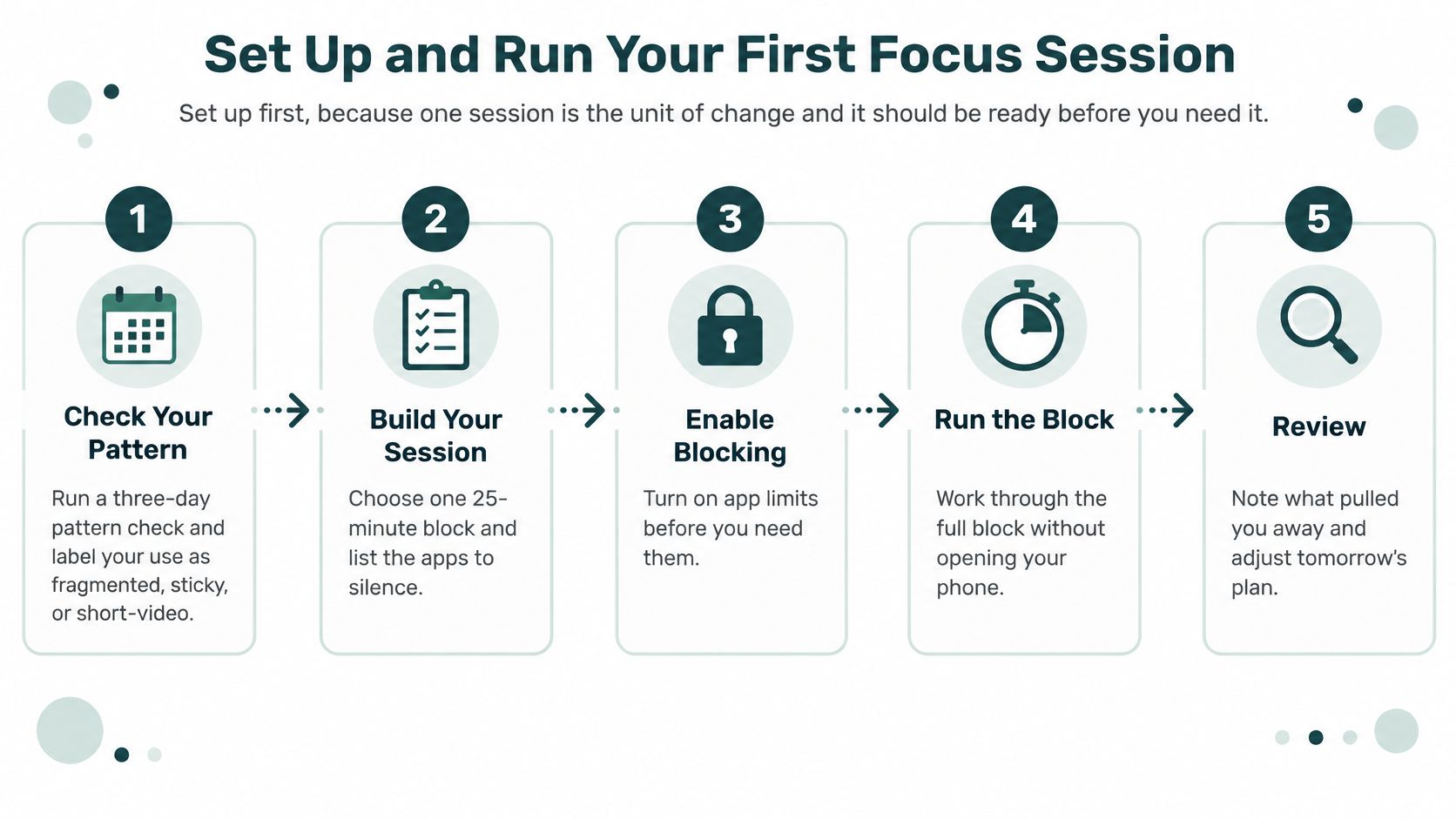
A useful focus session begins before the urge to check arrives. Set up the block while you are calm, then use one task to test whether it reduces interruptions.
Before the timer
- Check your pattern. Use the log from the earlier section to see whether checking is fragmented, sticky, or driven by short videos. Choose the apps and sites that match what you do.
- Make a short block list. Add the phone apps and laptop sites that interrupt you. Leave work tools accessible, so you do not need to disable the block to finish the task.
- Choose a task-sized session. Try 25 to 50 minutes for one assignment or work task. A shorter session can help you get started; a longer one may suit work that needs more time to settle.
During the session
- Put the phone out of reach. Leave it in another room or inside a bag. Blocking limits access to selected apps, while distance makes an impulsive reach less convenient.
- Start one Focus Session across both devices. Blocking only the phone leaves laptop sites available, and a laptop-only block leaves phone apps open.
- Silence nonessential alerts. A notification can interrupt attention even when you do not open it.
- Stay with one kind of task. Read, write, memorize, or solve problems. If you feel the urge to check, note when it appears and return to the task rather than switching to something easier.
After the session
- Take a non-screen break. Stand up, get water, or walk briefly. Scrolling can turn a planned pause into another round of checking.
- Record what you finished and when you wanted to check. Review both after several sessions. The goal is to see whether fewer interruptions help you complete more work, not to reach zero minutes on social media.
A randomized field experiment with online workers found that blocking selected social-media services during set periods increased tasks completed per hour by about 35%. Treat that result as evidence that blocking can help, not as a guaranteed outcome for every student or task. Start with one manageable session and see what changes.
Your first session
Choose one specific task, set a 25-minute timer, and start a Focus Session on your phone and laptop. When the timer ends, write down the task you completed and any moments when you wanted to check. That simple record gives you a concrete basis for adjusting the next session.
Kohru offers timed Focus Sessions that block selected phone apps and laptop sites together. It is available on iOS, with Android coming soon.
Special Cases Where Blocking Needs More Care
A strict ban can be a poor fit when social media provides needed contact or when attention is already difficult to manage. The aim is to protect focus while keeping purposeful communication available.
Research on adolescents has reported links between ADHD, loneliness, and problematic social-media use. Those links do not show that social media causes attention problems; the relationship may run in either direction. A systematic review of research on adolescents with ADHD and social-media use also found substantial variation in study designs and measures, which limits how confidently the findings can be compared. Treat these patterns as reasons to tailor a block, not as a diagnosis.
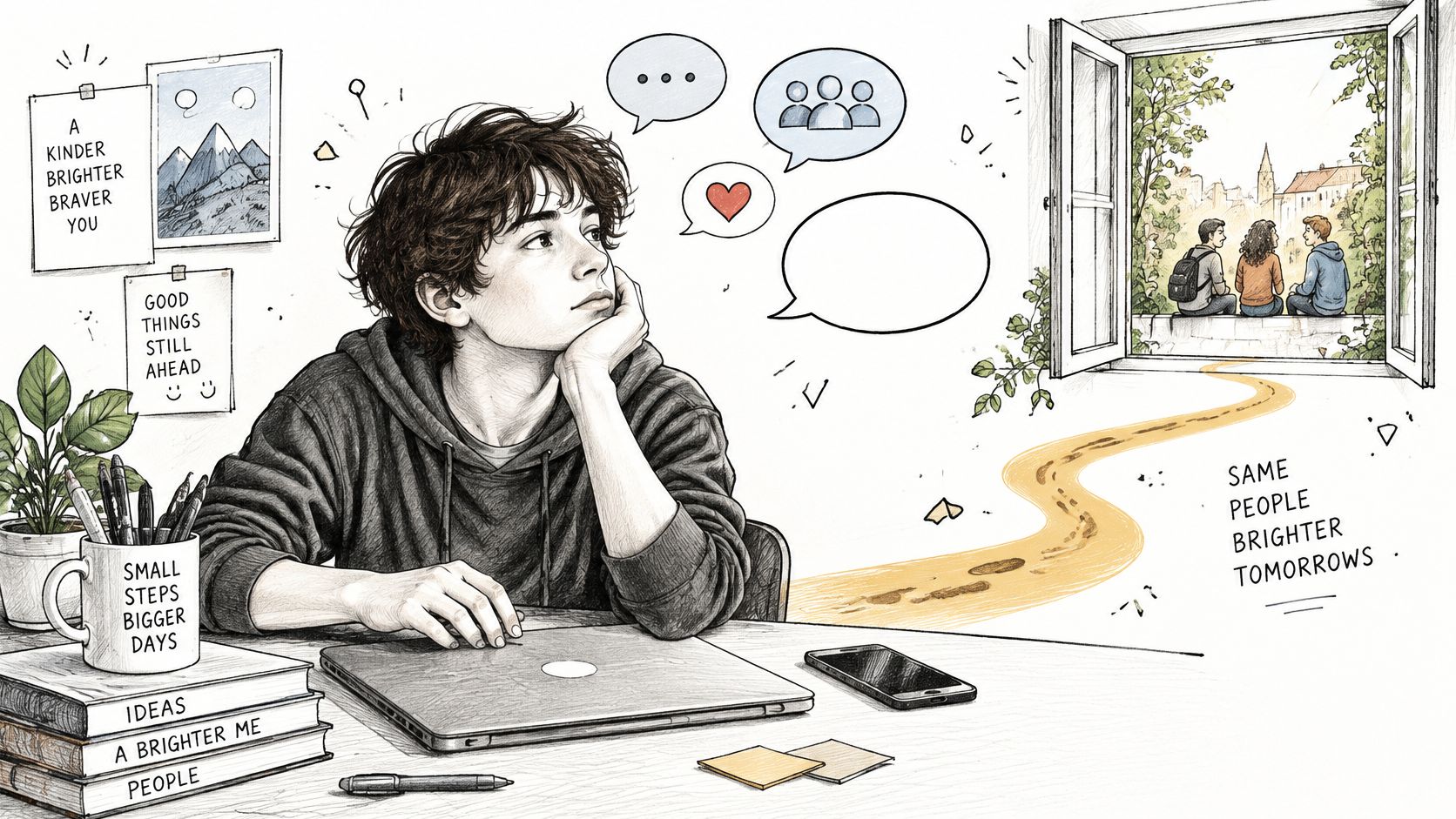
A scheduled call with a friend and repeated feed-checking serve different purposes. Set the block around the switch points: allow planned contact, while restricting the apps and sites that invite unplanned checking before or during focused work. If a full-day limit feels difficult to sustain, try shorter, adjustable blocks and review whether they protect study time without reducing needed connection.
- Keep purposeful contact available. Schedule a study-group message or a call outside the focus window.
- Restrict unplanned checking. Include phone apps and laptop sites that pull you away from the task.
- Use flexible limits. A missed day need not undo a useful routine.
- Track finished goals and well-being, rather than treating zero social-media minutes as the only measure of success.
A blocker can support a study window. It doesn't diagnose or treat ADHD, anxiety, or depression.
If attention problems affect daily life, talk with a clinician. Keep the blocks adjustable, maintain real contact, and assess whether the routine supports both completed work and social connection.
Kohru lets students block selected phone apps and laptop sites during one Focus Session. That can reduce interruptions and pre-work scrolling across both screens. To try it during a study block, visit Kohru.
