You sit down for a quick ten-minute task before class or before your first meeting. You answer one message, open one tab to check something, and then suddenly you're late, flustered, and wondering how the morning disappeared again. If that pattern feels painfully familiar, you're not broken, lazy, or careless. Your brain may experience time differently.
For many people with ADHD, time doesn't feel steady and visible. It feels slippery. A future deadline can seem unreal until it's dangerously close. A small task can expand and fill an hour. A planner can look perfect at night and feel almost useless by noon. That gap is why so much standard advice falls flat.
Time management for ADHD works better when you stop treating it like a motivation problem. The more useful frame is this: part of the challenge is time perception, and part of the solution is external structure. In other words, you don't need more pressure. You need time made visible, tangible, and easier to act on.
That shift changes everything. Instead of asking, "Why can't I just use a calendar like everyone else?" you can ask, "How do I help my brain notice time sooner and rely less on memory and willpower?" That's a kinder question, and usually a more practical one too.
If you want another plain-language perspective on this, the Pretty Progress time management tips offer a helpful companion read that also speaks to real-life ADHD struggles rather than idealized productivity.
Table of Contents
- Introduction Why Time Feels Different With ADHD
- How ADHD Affects Time Perception and Planning
- Core Principles That Make Time Visible and Actionable
- Building ADHD Friendly Routines That Actually Stick
- Environment and App Supports That Do the Remembering for You
- Real World Examples for Students and Professionals
- Your Simple Plan to Start Today and Stay Consistent
Introduction Why Time Feels Different With ADHD
A student wakes up already doing math in their head. Shower, get dressed, grab notes, answer one text, maybe heat up breakfast. It all seems manageable. Then one tiny detour happens. The text becomes a scroll, the breakfast turns into cleaning one pan, the backpack still isn't packed, and now the bus or lecture start time feels like a wall rushing toward them.
A young professional has the same experience in a different outfit. They open their laptop planning to review a document before a morning call. A notification pops up. Then an email. Then a "quick" fix in another file. By the time they look up, the meeting starts in two minutes and they haven't done the one thing they meant to do.

Why trying harder usually doesn't solve it
People with ADHD have already tried hard. They've bought planners, color-coded calendars, made lists, downloaded apps, and promised themselves to "just be more disciplined." That effort matters. But effort alone can't fix a system mismatch.
ADHD often interferes with the feeling of time passing. So the usual advice, use a planner, estimate your day, stick to the schedule, assumes an internal clock that may not be giving clear signals. It's like asking someone to bake without an oven light and then blaming them for opening the door too late.
Time blindness often looks like poor discipline from the outside, but from the inside it feels more like missing a sense that other people seem to have.
A more useful starting point
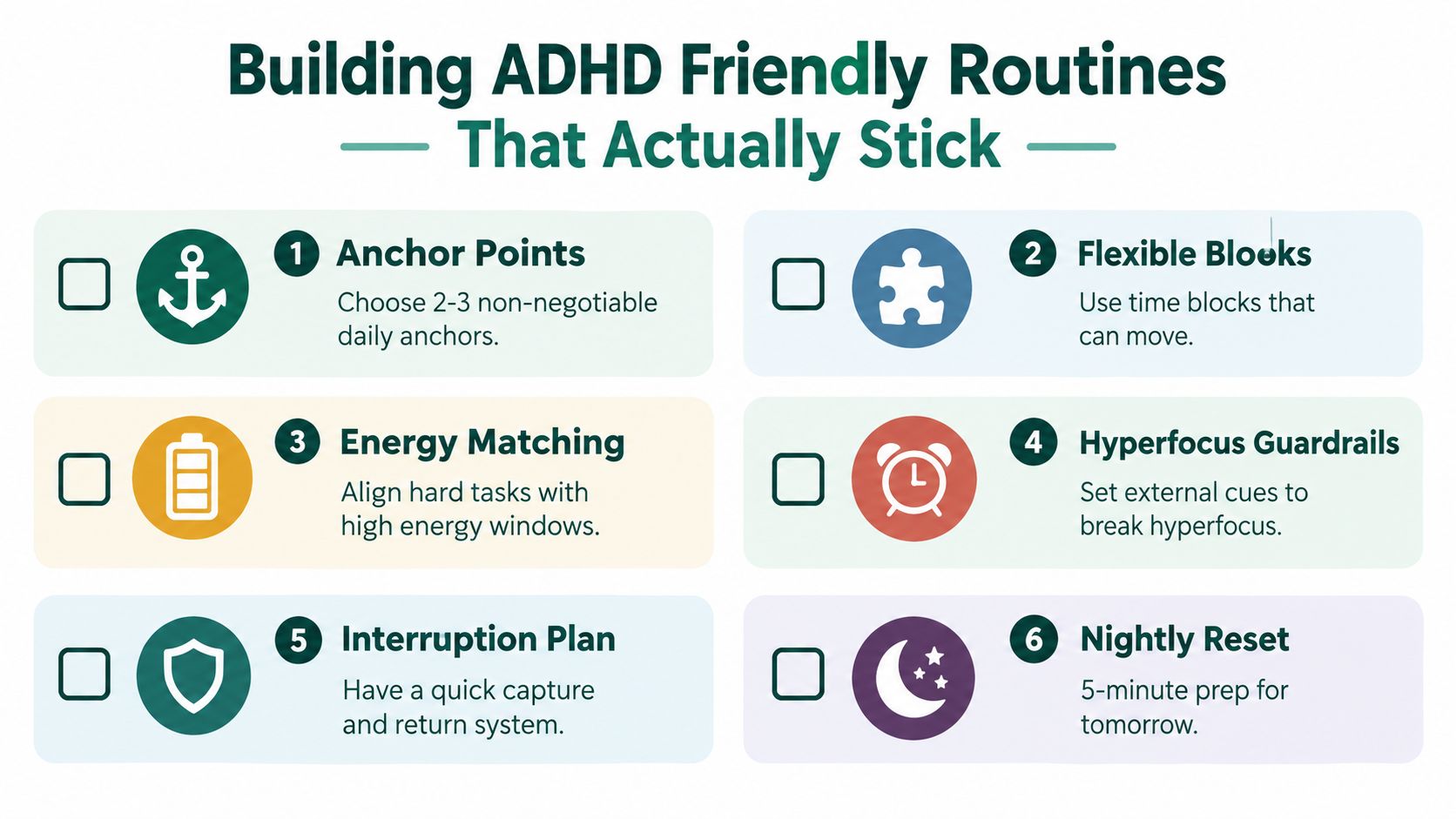
A better approach starts with compassion and design. You can train time awareness a bit, and you can build supports outside your head that do some of the remembering for you. That means visible timers, transition cues, clear task starts, buffers, and routines that bend instead of snapping.
Think of this article as a toolkit for making time more concrete. Not perfect. Not rigid. Just easier to see and easier to use.
How ADHD Affects Time Perception and Planning
A calendar can hold every appointment you have and still fail to help at 2:17 p.m., when you meant to answer one email and somehow surface 45 minutes later in a different tab, with a half-finished task and no clear sense of where the time went.
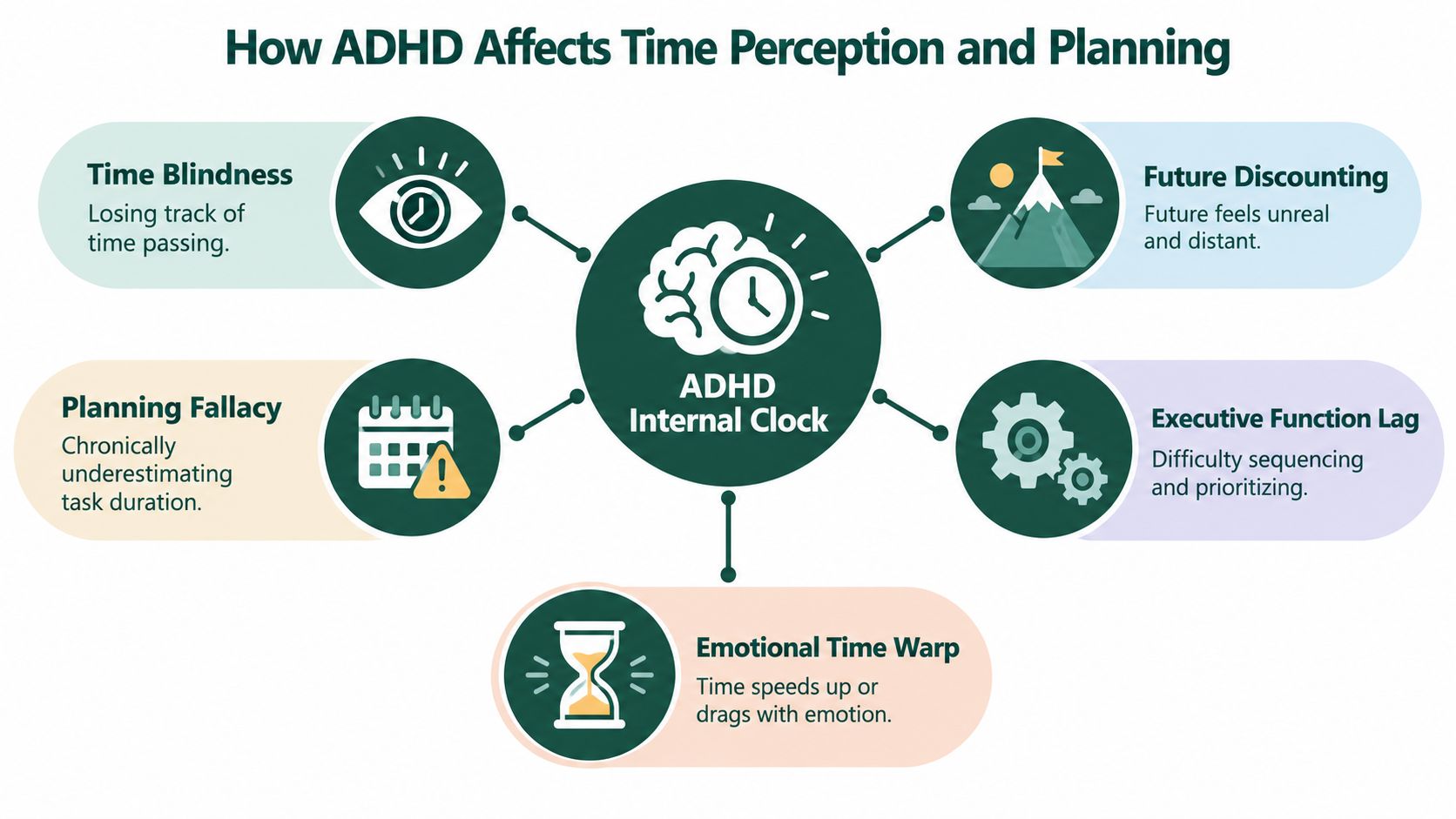
That gap is the part many standard productivity systems miss. ADHD often affects time perception, not just planning skill. The brain may register "now" and "not now" more strongly than the stretch in between, which makes future tasks feel vague until they suddenly feel urgent.
Time problems are not all the same
Time difficulty with ADHD is not one single problem. For one person, the hardest part is estimating how long something will take. For another, it is shifting away from a task once they are locked in. Someone else may understand the plan perfectly at 9 a.m. and still lose track of it by noon because the plan is no longer in view.
Research supports that variety. A study on organization in time and ADHD found that adults with ADHD showed poorer organization-in-time and lower quality of life than controls, and that organization-in-time still added unique explanatory value beyond executive-function measures (PubMed research on organization in time and ADHD).
That matters for a simple reason. If time-related difficulty has its own role, then "use a planner" is often too small a fix. A planner records information. It does not automatically help a person feel duration, notice transitions, or sense when it is time to start.
The same research line has also found wide differences between people with ADHD. Some struggle a little. Some struggle a lot. So if one routine helps your friend and does almost nothing for you, that does not mean you are failing. It usually means your time problem has a different shape.
Planning can break at several points
It helps to make this concrete.
Planning is not only writing down tasks. It also includes guessing how long a task will take, noticing when to begin, holding the steps in mind, switching at the right moment, and recovering after an interruption. ADHD can interfere at any of those points.
A common pattern looks like this: the task is real, the intention is real, but the task does not feel real enough yet to act on. Then the deadline gets close, time suddenly becomes vivid, and the nervous system shifts into urgency mode. From the outside, that can look like procrastination. From the inside, it often feels more like the task was far away and then all at once right in your face.
Interest also changes the picture. Boring tasks can feel painfully long after only a few minutes. Absorbing tasks can swallow an hour without any clear signal that time has passed. So planning errors are not always about poor logic. Often they start with distorted time signals.
Why this is more than executive function
Many people hear "executive function" and assume they must improve memory, inhibition, focus, planning, and emotional regulation all at once before time management can improve. That idea makes the problem feel huge.
The evidence points to a more practical path. Research on time-related interventions suggests that time-processing support can improve daily time management, especially when training is paired with assistive tools such as time aids and external cues (research on time-processing interventions and assistive supports).
That finding fits what many ADHD adults already notice in daily life. Knowing what to do is often not the main barrier. Feeling time clearly enough, early enough, is the barrier.
The practical takeaway
ADHD time management works better when you treat it as time-perception training plus external structure.
That means calendars still have a place, but they are only one part of the system. The stronger approach is to pair planning tools with supports that make time easier to notice in real time: visible countdowns, start cues, transition warnings, short check-ins, and routines that bring the plan back into view before it disappears.
Core Principles That Make Time Visible and Actionable
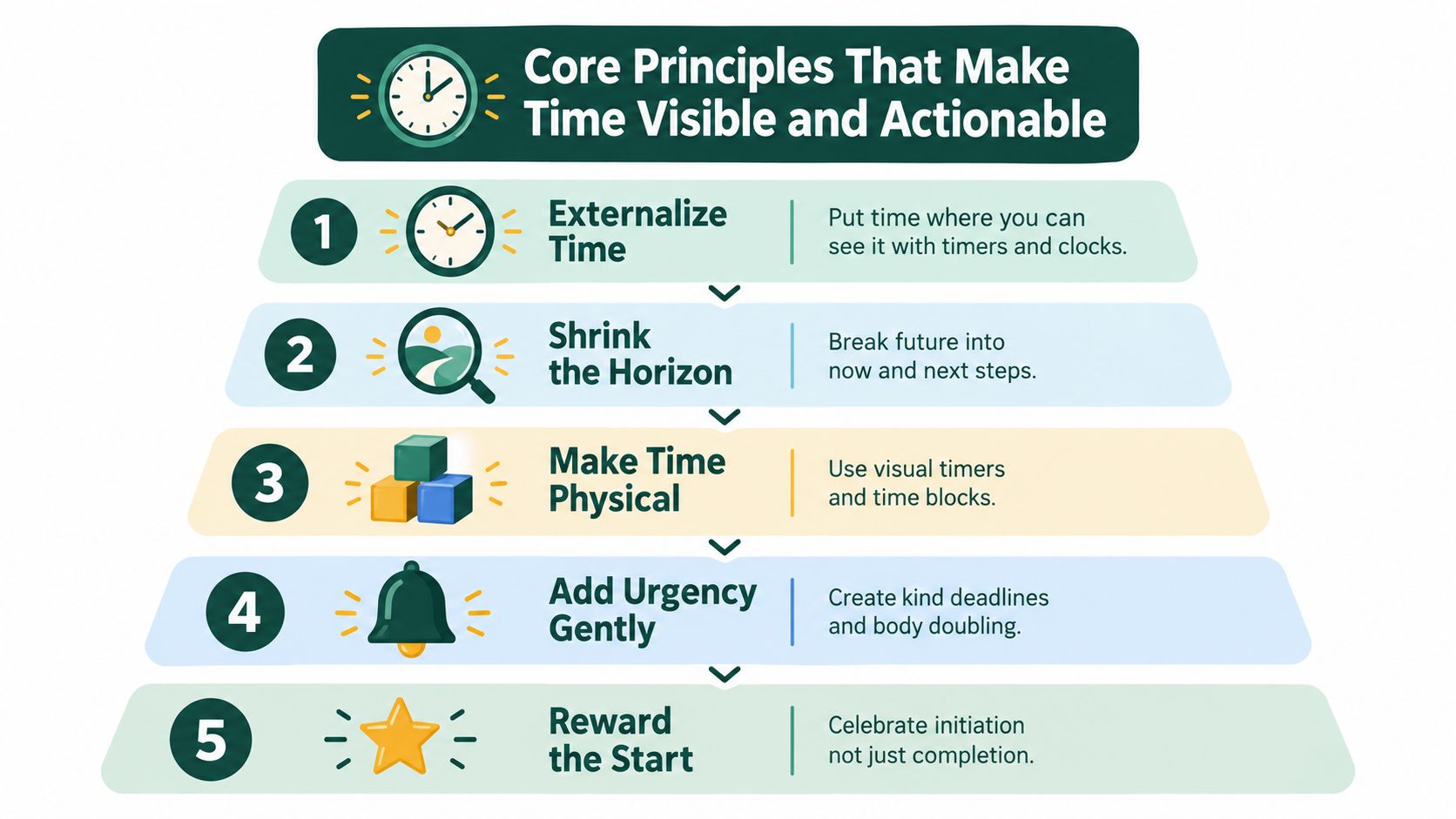
The goal isn't to become a different kind of person. The goal is to make time more physical, more noticeable, and less dependent on memory. These principles work like handles on a slippery object.
Put time outside your head
A wall clock, a desk clock, a visual timer, a kitchen timer, a watch with vibration cues. These aren't childish tools. They're ways to externalize time.
If time tends to vanish while you work, place a timer where your eyes naturally land. If transitions are the problem, use alarms that tell you when to start wrapping up, not just when the next event begins.
Practical rule: if you have to remember to remember, the system is too weak for an ADHD brain.
Shrink the horizon
"Finish paper" is too far away for many ADHD brains to grab. "Open the article and highlight two quotes" is close enough to act on.
Try changing tasks into now steps and next steps:
- Too big: Study biology
- Now step: Open notes and set a timer
- Next step: Review one chapter section
- After that: Answer five practice questions
The brain often resists vagueness more than effort.
Make time visual and audible
A calendar full of tiny text can stay abstract. A color block from 3:00 to 4:00 feels more like a container. A visible countdown creates urgency without panic. A soft alarm can mark the halfway point in a study block.
This is also where videos and demonstrations can help if you learn best by seeing. Here's a useful visual explainer:
If you're also trying to strengthen planning skills more broadly, these actionable strategies for planning from Orange Neurosciences can help you connect time tools with executive function support.
Reduce the friction to start
Many people think they need more motivation. Often they need a shorter runway.
Try these low-friction starts:
- Lay out the first item: Put the textbook open on the desk.
- Use a tiny launch phrase: "Just ten minutes."
- Pair start with a cue: Tea made, timer on, phone away.
- Decide the task the night before: Morning-you shouldn't have to negotiate from scratch.
Close loops with feedback
ADHD brains often benefit from quick proof that something is working. A finished focus block, a checked box, a visual timer completed, a short note that says "math reading took longer than expected." Feedback helps you adjust instead of relying on hope.
| Principle | What it changes |
|---|---|
| Externalize time | Reduces dependence on memory |
| Shrink the horizon | Makes starting easier |
| Make time visible | Improves moment-to-moment awareness |
| Reduce friction | Lowers initiation resistance |
| Close loops | Builds learning from real life |