
A Safari content blocker isn't automatically a productivity blocker. Some tools remove ads, trackers, and page elements before Safari renders them. Others block entire domains, strip algorithmic feeds, close distracting tabs, or add schedules and biometric locks. Choosing the wrong type can leave the distraction untouched, or make useful websites unnecessarily difficult to access.
This comparison evaluates each option by what it removes, where it works, how strongly it enforces a boundary, how much configuration it requires, and how it handles privacy. Safari's architecture matters here. Apple's content-blocking system is designed to work before pages render, while extensions are designed for speed and limited data access, and Apple says Safari extensions don't see which webpages users visit (Apple's WWDC23 Safari extension overview). That makes content blockers attractive for privacy and performance, but it doesn't give them the same enforcement as a broader focus system.
The best website blocker extension for Safari depends on the distraction you're trying to remove. Use a full content blocker for ads and trackers, a feed-specific tool for endless scrolling, or a tab and domain blocker when opening the site is the problem. If you need help building a wider routine around blocked websites, see this guide to avoiding distractions using Fluidwave.
Table of Contents
- 1. 1Blocker
- 2. AdGuard
- 3. Wipr 2
- 4. wBlock
- 5. Ka‑Block!
- 6. Curb
- 7. AutoClose
- 8. Website Blocker Focus
- 9. The Blocker
- 10. NoLoop
- Top 10 Safari Website Blockers, Feature Comparison
- Build a Blocking Setup You Will Actually Use
1. 1Blocker
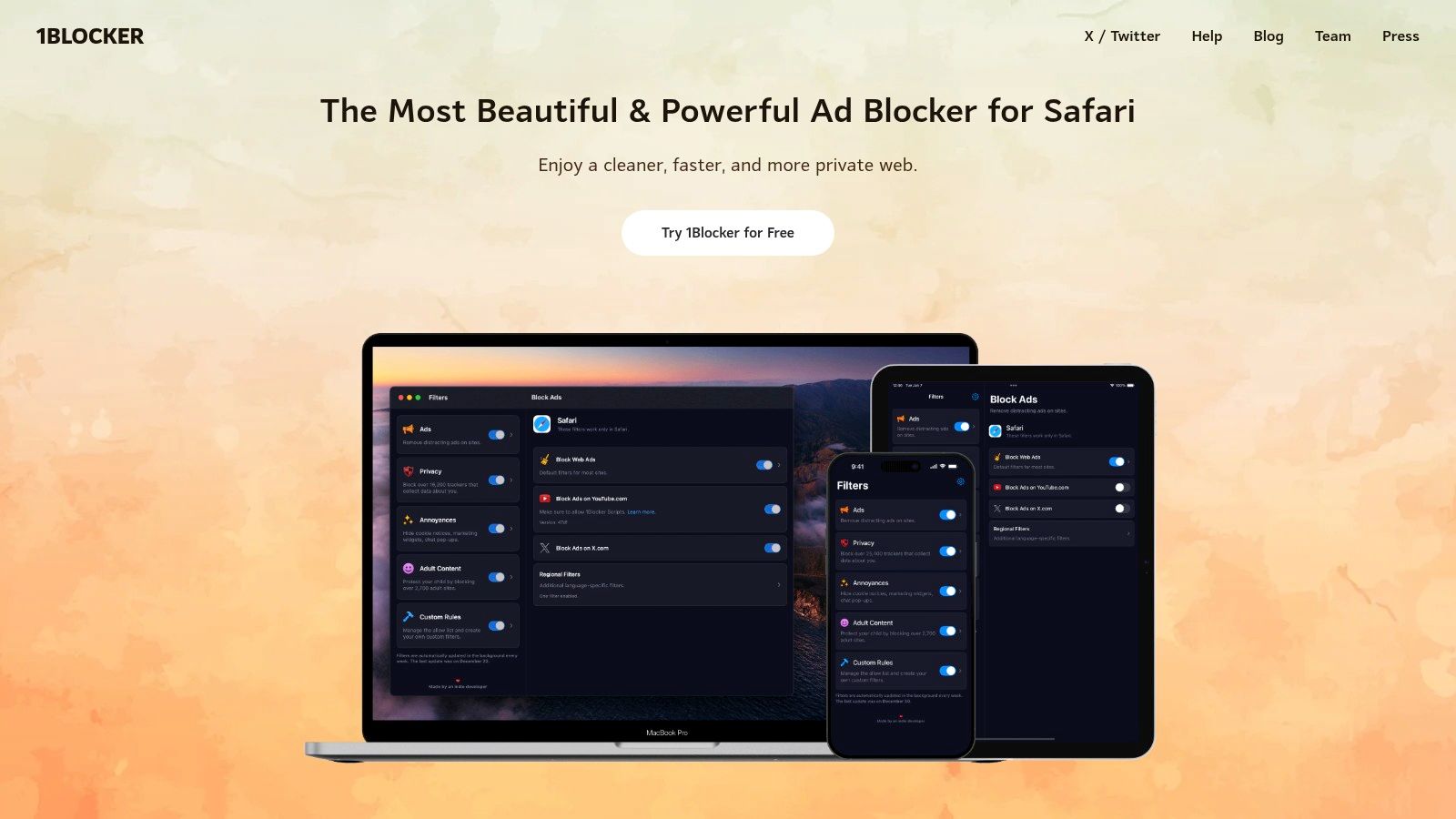
1Blocker suits users who want fine-grained Safari filtering rather than a simple list of blocked domains. It works across iPhone, iPad, and Mac, combining ad and tracker filtering with controls for domains and URL patterns. You can remove a specific distraction while leaving the rest of a site available.
Its strongest feature is rule control. Maintained filter lists can be combined with custom rules, allowlists, and per-site exceptions. Advanced users can apply patterns and regular expressions, while others can begin with categories and adjust them gradually. iCloud synchronization keeps those settings aligned across Apple devices.
Best fit: People who need a serious Safari content blocker with custom site rules.
Apple's Content Blocker API requires rules to be packaged in an extension that Safari applies before rendering. Apple limited each content blocker to 50,000 rules when the framework launched in 2015, as described in InfoQ's history of Safari content blockers. That limit makes rule organization relevant, especially for users combining privacy filters with distraction controls.
1Blocker filters browser content. It does not provide automatic study schedules, session timers, or a system-wide lock, and it cannot reliably stop someone from changing its settings. Skip it when scheduled enforcement is the goal. A separate focus tool will handle that job better than a content blocker acting as a productivity coach. Check 1Blocker for current platform and feature details.
2. AdGuard
AdGuard for Safari suits users who want strong filtering without writing complex rules. It blocks ads, trackers, and unwanted page elements, while its manual rule interface supports targeted changes for specific sites or elements. This makes it useful for reducing visual clutter and removing recurring distractions within Safari.
Its filter lists handle common advertising and tracking patterns, while exceptions can preserve work or research pages that break after filtering. On iOS, allowlists can be imported and exported, making configurations easier to restore or move. On Mac, AdGuard Mini focuses on Safari instead of filtering traffic across every application.
Browser-level filtering, not scheduling
AdGuard changes what Safari loads or displays. It does not prevent the same domain from opening in another browser or native app, and it does not enforce a recurring work-hours schedule. Safari's content-blocker architecture is designed for filtering page loads, hiding elements, and handling cookies, as noted in Apple's Safari guide to content blockers.
That boundary defines its best use. Professionals who want cleaner, more private browsing and occasional domain rules can configure AdGuard effectively. Students who are likely to switch to an app or another browser after a blocked page disappears should choose a tool with stronger cross-device or session enforcement.
Configuration takes moderate effort. Beginners can start with predefined lists and the visual interface, while advanced users can refine rules when a site needs an exception or a particular element remains visible. AdGuard works best for browser-level control, not users seeking a schedule-based lockout. Review AdGuard for Safari before installing because available features differ by Apple platform.
3. Wipr 2
Wipr 2 removes a narrow but common class of distraction: ads and trackers embedded in Safari pages. It uses Apple's content-blocking framework, updates its lists automatically, and requires little ongoing configuration. After installation and Safari activation, users spend less time maintaining filters.
Apple's extension guidance describes extensions as built for speed and limited data access. Wipr's privacy-focused design fits that model because its main function does not require inspecting browsing history. The result is strong passive filtering, rather than an active system for enforcing work sessions.
The trade-off is deliberate simplicity
Wipr 2 suits users who want ordinary pages to contain fewer ads and tracking elements. It offers less control than tools built around custom, per-site rules. A user who needs to block one domain only during a writing session will likely find Wipr too broad and static.
Its enforcement also stops at Safari. A blocked site can still be opened in another browser or a native iOS app, and Wipr does not coordinate a focus session across a phone and laptop. Safari content blockers can filter page content, but they do not automatically govern native apps.
That makes Wipr a weak choice for category controls, recurring schedules, or tamper-resistant study plans. It is a stronger fit for users who value privacy, speed, and minimal maintenance over detailed policies. Configuration is easy, while customization is limited. See Wipr 2 for current product information.
4. wBlock
wBlock targets a different problem from passive ad filtering: it lets technically confident users remove specific distractions and enforce detailed page rules. Its open-source transparency, extensive rule control, and room to experiment make it an advanced Safari content blocker for Apple platforms. It supports large rule sets, with optional userscripts and userstyles, so users can adjust how pages load and appear rather than relying only on maintained domain lists.
That flexibility is useful for narrow interventions. On a news homepage, for example, a user can zap a distracting recommendation panel or other specific element while leaving the articles and navigation available. Users can inspect the rule, refine its scope, and reuse similar controls on other pages. This makes wBlock suitable for element-level clutter and custom browsing policies, not just ads and trackers.
The trade-off is maintenance. Choosing rules requires more technical judgment, and an overly broad filter can hide useful content or stop a page from working. Community discussions and visible development activity also give users more insight into the project than a sealed commercial product, but they do not remove the need to troubleshoot.
wBlock fits people willing to read documentation, test filters, and maintain a custom setup. Avoid it if you want a polished, set-and-forget tool or cannot risk a broken page during important work. Its design reflects the flexibility available through Safari's content-blocking system, which Apple introduced for extensions on its platforms in 2015, as noted earlier. Download it from the wBlock GitHub repository.
5. Ka‑Block!
Ka‑Block! uses a narrower model than wBlock. It is a minimalist, open-source content blocker built around a curated list of domains associated with advertising and tracking. Enable it in Safari, and the maintained list handles filtering without requiring users to design or test advanced rules.
That makes Ka‑Block! suitable for people who want a free privacy layer across iOS and macOS, with little configuration. It uses Apple's Content Blocker API and limits direct access to browsing activity, matching Safari's privacy-oriented extension model. The trade-off is that the fixed list can only address domains its maintainers have included.
Where Ka‑Block! is not enough
Ka‑Block! reduces ad and tracker clutter, but its curated domain list cannot cover every newly emerging service, site-specific distraction, or page element that is not tied to a listed domain. It does not create schedules, lock settings, block a distraction category, or remove a social feed while preserving the rest of that site. Customization is also more limited than in 1Blocker or AdGuard.
Its strength is low overhead, not enforcement. Ka‑Block! works at the content-filtering layer, so it can prevent listed requests and reduce visible clutter. It does not stop someone from opening a chosen website, and it cannot adapt its behavior to a personal schedule or accountability plan.
Choose Ka‑Block! if transparency, minimal setup, and a maintained list matter more than precise control. Avoid it if you need custom domain rules, element-level filtering, or stronger resistance to intentional browsing. Find the project at Ka‑Block! on GitHub.
6. Curb
Curb targets a narrower distraction than a conventional website blocker. It removes algorithmic feeds and high-distraction sections from services such as YouTube, Instagram, Facebook, Reddit, X, and LinkedIn, while leaving useful pages accessible. The result is reduced exposure to recommendation streams without banning an entire domain.
That distinction suits professionals who use social platforms for communication, recruiting, research, or publishing. Students can open a tutorial or direct profile without keeping a recommendation feed on the same page. Curb therefore applies content-level enforcement, not a domain-wide ban.
Access remains available by design
Curb cannot make a service completely inaccessible. Users may still visit other sections, search manually, or switch to a native app. Its enforcement is strongest against passive scrolling and repeated feed checking, rather than deliberate access.
Configuration also matters. A feed blocker works only after the relevant Safari extension is enabled, and behavior can vary with Safari settings, Private Mode, or web apps. Users should confirm that Curb is active on the devices and browsing contexts where they expect it to work. The Curb Feed Blocker site lists its currently supported services and Apple devices.
Use Curb when you need utility without feeds, especially if removing recommendations is more useful than blocking a whole platform. Avoid it if you need category-level controls, schedules, or a complete domain ban. Users seeking stronger enforcement should choose a tab or domain blocker instead, because Curb deliberately preserves access to parts of each service.
7. AutoClose
AutoClose removes distractions through tab enforcement. It monitors domains on your blocklist, closes matching Safari tabs, and stops new tabs from opening to those domains. Rather than filtering individual page elements, it intervenes when a blocked site becomes an active browsing choice.
That approach suits short focus sessions and users who repeatedly open the same sites out of habit. For example, if a news tab appears during a work session, AutoClose can close it instead of leaving the article available with advertisements or selected elements hidden. The interruption adds more friction than a conventional content blocker.
A blocker is stronger when it interrupts the behavior you're trying to change, not just the page's appearance.
Configuration is relatively direct. Add the domains that consistently derail your work, then enable the extension in Safari. Its scope remains narrow, however. AutoClose does not remove social feeds, clean up advertising, manage tracker lists, or apply detailed element rules. It also offers fewer advanced controls than 1Blocker or AdGuard, so users with complex filtering requirements may outgrow it.
AutoClose also differs from category blockers and broader focus tools. It targets selected domains rather than groups of websites, schedules, or native iOS apps. Users who need a news-free browsing session can block particular news sites, but they must identify and maintain that list themselves.
The product's purpose centers on matching domains and managing tabs, although you should check its current permissions and compatibility before relying on it for important work. Safari's extension system has moved toward newer extension frameworks, while Safari remains separate from native iOS app controls.
Choose AutoClose when closing access to specific sites matters more than filtering page content. Avoid it if you need feed removal, category controls, or broad privacy filtering. See AutoClose Website Blocker in the App Store.
8. Website Blocker Focus
Website Blocker Focus targets a specific distraction: access to selected websites on iPhone and iPad. It provides a simple list of blocked sites with quick controls, while Shortcuts and Automations can start blocking during scheduled focus windows. That makes it a behavior-timing tool rather than a page-filtering extension. It blocks chosen domains, not advertisements, trackers, individual page elements, or entire content categories.
The scheduling workflow is its main distinction. A student can create an exam-preparation list, then use a Shortcut automation to trigger the block window at a planned time. The enforcement is stronger than relying on memory to toggle a setting, but it still depends on the schedule being configured correctly and on the user's device setup. It suits a small personal blocklist better than a large privacy rule set.
Mobile convenience creates a coverage limit
The app is a weak fit for users who work across iPhone, iPad, and Mac. Its focus is mobile, so Mac Safari coverage and cross-device behavior may be less consistent than with blockers designed around Apple-native synchronization. It also does not address distracting native iOS apps as a system-wide focus tool would.
Configuration should be simpler than writing custom filtering rules. Users still need to confirm that Safari can use the extension and that the relevant Shortcut automation runs at the intended time. If either step is missed, the scheduled block window may not start, making the tool appear less effective than its design suggests.
Choose it when mobile study sessions, selected domains, and scheduled enforcement are the priority. Avoid it if you need Mac support, advanced privacy filtering, category controls, or strong resistance to changing the rules. See Website Blocker Focus.
9. The Blocker
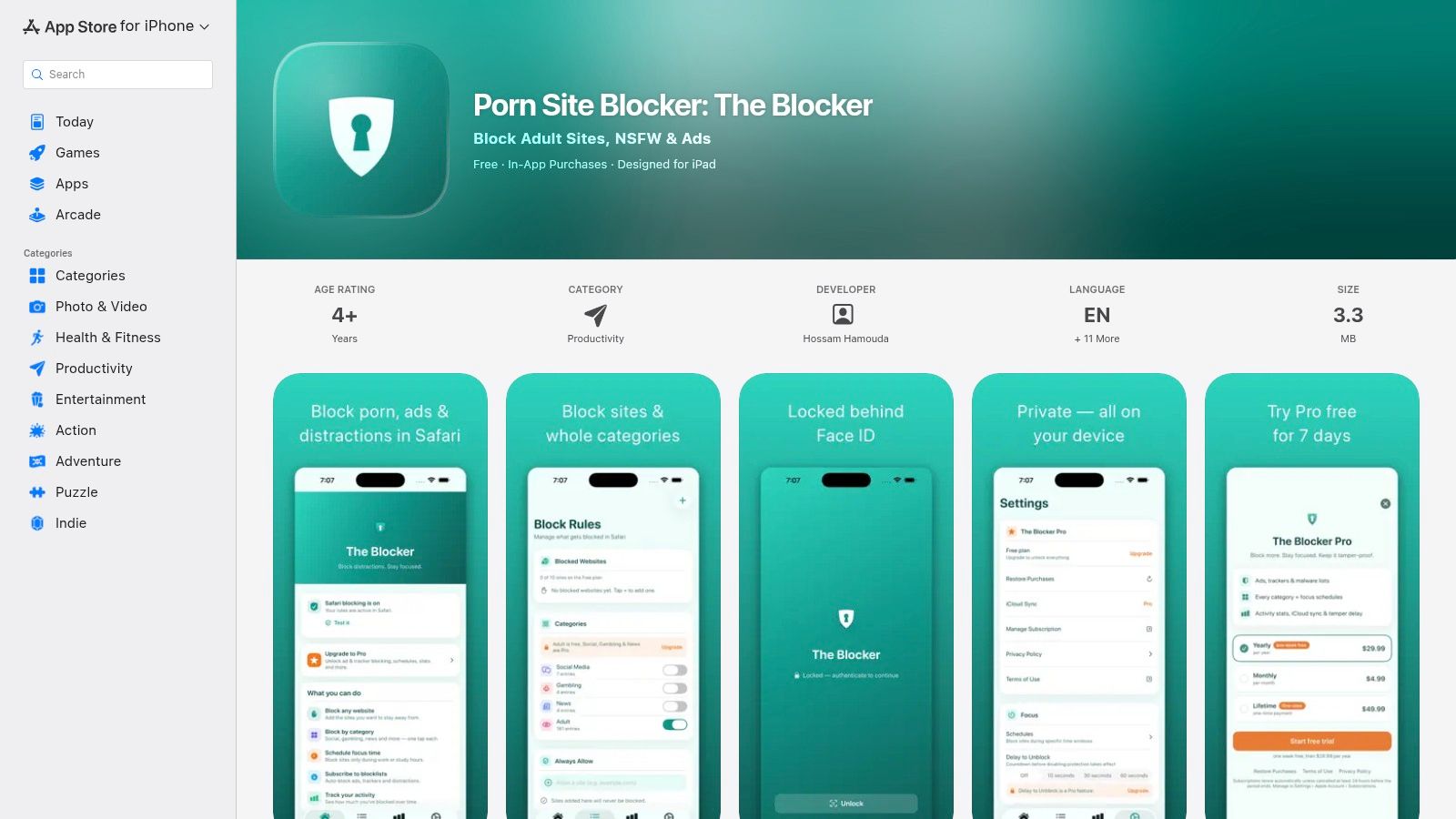
The Blocker is built around category controls, scheduling, and resistance to impulsive changes. Instead of asking users to enter every distracting domain individually, it offers presets for areas such as social, gambling, news, and adult sites. Custom lists remain available when a category is too broad or a particular website needs separate treatment.
That category-first design suits parents, students, and anyone who wants a faster setup path. Scheduling turns blocking into a recurring boundary rather than a decision you must make at the start of every work period. Face ID or Touch ID locking adds another layer by making it harder to disable the controls during a moment of temptation.
Stronger enforcement means more careful exceptions
The Blocker is more suitable for direct behavioral control than Wipr 2 or Ka‑Block!, but it's also easier to configure too aggressively. A broad news or social category may include websites you need for coursework or professional tasks. Build an allowlist before relying on the app during an important deadline.
Its branding centers on adult-site blocking. That may reassure families who want a specialized safety tool, but it can feel mismatched for a professional who only wants to stop social media during writing time. Some advanced functions are part of the Pro offering, so check the current app terms before assuming every scheduling or synchronization feature is included.
Safari's content-blocking framework has always been specific to Safari rather than native iOS apps, which means category controls shouldn't be treated as universal device restrictions (Furious Minds' explanation of the framework's boundary). Choose The Blocker if schedules, presets, and lock features matter more than a minimalist interface. Avoid it if you only want ad and tracker removal. Visit The Blocker in the App Store.
10. NoLoop
NoLoop targets a specific source of distraction: Instagram's repeated feed interactions. Instead of blocking the entire domain, it modifies Safari to remove or reduce features such as Reels and autoplay-style loops. The companion app and Safari extension are intended to preserve practical access to profiles and direct messages without leaving the full feed experience untouched.
That makes NoLoop a content-specific control, not a general website blocker. It removes selected Instagram behaviors while leaving the service available for account management, communication, or quick checks. A professional handling an account or a student contacting a group may benefit from that narrower approach.
Its limits are part of the design
NoLoop only affects Instagram features that it currently supports. It does not block YouTube, Reddit, news sites, or unrelated domains, and it does not impose a general Safari schedule. Its value depends on the distraction being Instagram's feed mechanics rather than Instagram access itself.
Its maintenance burden also differs from a conventional domain blocker. If Instagram changes its page structure or markup, Reels, autoplay loops, or other modified elements may appear again until NoLoop updates its extension. After installing it, confirm that the intended controls are active in Safari and review them after browser or operating-system changes.
Choose NoLoop when Instagram's repetitive content is the specific habit you want to interrupt. Avoid it if you need category controls, broad site blocking, scheduled restrictions, or enforcement beyond Safari. Review NoLoop for its current Instagram-focused controls before relying on it for work or study.
Top 10 Safari Website Blockers, Feature Comparison
| Product | Core features | Ease of use / Maintenance | Primary benefit | Best fit (target audience) | Price & Platform |
|---|---|---|---|---|---|
| 1Blocker | Regex/pattern rules, large filters, iCloud allowlists, Apple Content Blocker API | Advanced options; learning curve for regex | Granular per‑site control with privacy preservation | Power users who want fine‑grained Safari blocking | Paid / iOS & macOS (Safari) |
| AdGuard (Safari/iOS) | Manual “User rules”, large first‑party/community lists, import/export allowlists | Approachable UI; mature filters, moderate maintenance | Strong filter ecosystem without needing complex regex | Users who want powerful filtering with friendly UI | Free & paid tiers; iOS & macOS (Safari) |
| Wipr 2 | Automatic list updates, Apple Content Blocker API, lightweight, one‑time purchase | Set‑and‑forget; near zero maintenance | Fast, minimal blocker for everyday use | Users wanting simple, low‑maintenance blocking | One‑time purchase / iOS & macOS (Safari) |
| wBlock | Hundreds of thousands of rules, userscripts/userstyles, open‑source | Technical to configure; requires tuning | Highly configurable, transparent blocking for deep control | Tinkerers, researchers, developers | Free (open‑source) / iOS & macOS (Safari) |
| Ka‑Block! | Curated domain list, Apple Content Blocker API | Extremely easy; minimal setup | Lightweight, transparent tracker/ad blocking | Casual users who want no‑frills protection | Free (open‑source) / iOS & macOS (Safari) |
| Curb, Feed Blocker | Per‑site feed blocking (YouTube, Instagram, Reddit, etc.), preserves site utility | Simple setup; targeted scope | Removes algorithmic feeds while keeping useful site features | People who need to access sites without feed distractions | One‑time purchase / iOS & macOS (Safari) |
| AutoClose, Website Blocker | Auto‑close tabs on blocked domains, prevent new tabs, focused permissions | Very focused and easy to use | Immediate tab‑level enforcement during focus work | Users who need quick removal of distracting tabs | Paid / iOS & macOS (Safari) |
| Website Blocker, Focus | Manage blocked lists, quick toggle, Shortcuts/Automations, on‑device | Mobile‑first, easy list management | Scheduled/mobile blocking with Shortcut integration | Students and mobile users relying on iPhone/iPad | Paid / iOS (iPhone & iPad) |
| The Blocker (Porn Site Blocker) | Category presets, custom lists, scheduling, Face/Touch ID lock, iCloud sync (Pro) | Preset‑driven setup; some Pro features behind IAP | Family/category blocking with tamper‑resistant options | Parents, households, students needing stricter controls | Free + Pro IAP / iOS (iPhone & iPad) |
| NoLoop | Alters Instagram behavior to remove Reels/auto‑play loops, companion app/extension | Very simple; narrow scope | Prevents getting stuck in Instagram time sinks | Users focused on breaking Instagram habit loops | Paid / iOS & Safari extension |
Build a Blocking Setup You Will Actually Use
The best choice follows the distraction, not the popularity of the app. Choose 1Blocker or AdGuard when you want customizable Safari filtering, domain rules, and privacy controls. Choose Wipr 2 or Ka‑Block! when your priority is low-maintenance content blocking with little ongoing configuration. Choose wBlock when you want open-source transparency and technical control, and you're prepared to tune rules yourself.
Feed-specific tools solve a different problem. Curb is the better fit when you need access to social or video platforms without their algorithmic feeds. NoLoop makes sense when Instagram's specific loops are the issue. These tools may preserve useful site functions, but they won't provide the same enforcement as blocking an entire domain.
For direct site enforcement, AutoClose removes matching tabs and prevents new ones from opening, while Website Blocker Focus gives mobile users a blocklist they can connect to Shortcuts and Automations. The Blocker adds category presets, schedules, and biometric locks, making it more suitable for students, families, and users who want extra resistance against changing their own rules.
Students can combine category or schedule-based controls with a repeatable study routine. Set an allowlist for research resources, block the sites that reliably interrupt revision, and use the same preparation sequence before each study period. Don't assume that installing a Safari extension alone will cover native apps or every browsing context. Apple's content-blocking approach remains tied to Safari, and newer extension behavior can require explicit activation in Safari settings and inside the companion app (1Blocker's Safari scripts documentation).
Professionals may need broader device coverage than a Safari extension can provide. Kohru's Focus Sessions block digital distractions across a phone and laptop, connect tasks with distraction-free work sessions, and include custom blocklists and allowlists through its browser extension. That broader approach is relevant when switching from Safari to a native app is the obvious workaround.
Start with one setup. Test it during real work, review false positives, and adjust the allowlist before adding another tool. Stacking overlapping content blockers can create conflicts and make troubleshooting harder, while the right combination is usually one filtering layer plus one enforcement layer. Your goal isn't to install the largest collection of blockers. It's to make the distracting action less immediate while keeping the websites and tools your work requires.
Kohru combines Focus Sessions, app and website blocking across phone and laptop, task-based sessions, custom durations, and flexible habit support for students and professionals. If Safari filtering alone doesn't cover your distractions, visit Kohru to add a broader focus system to your setup.
